
Student Portal
The student portal at portal.shuleone.co.ke is where learners do their work. It is not a list of subjects and files — learning is organised as a journey you move along at your own pace.
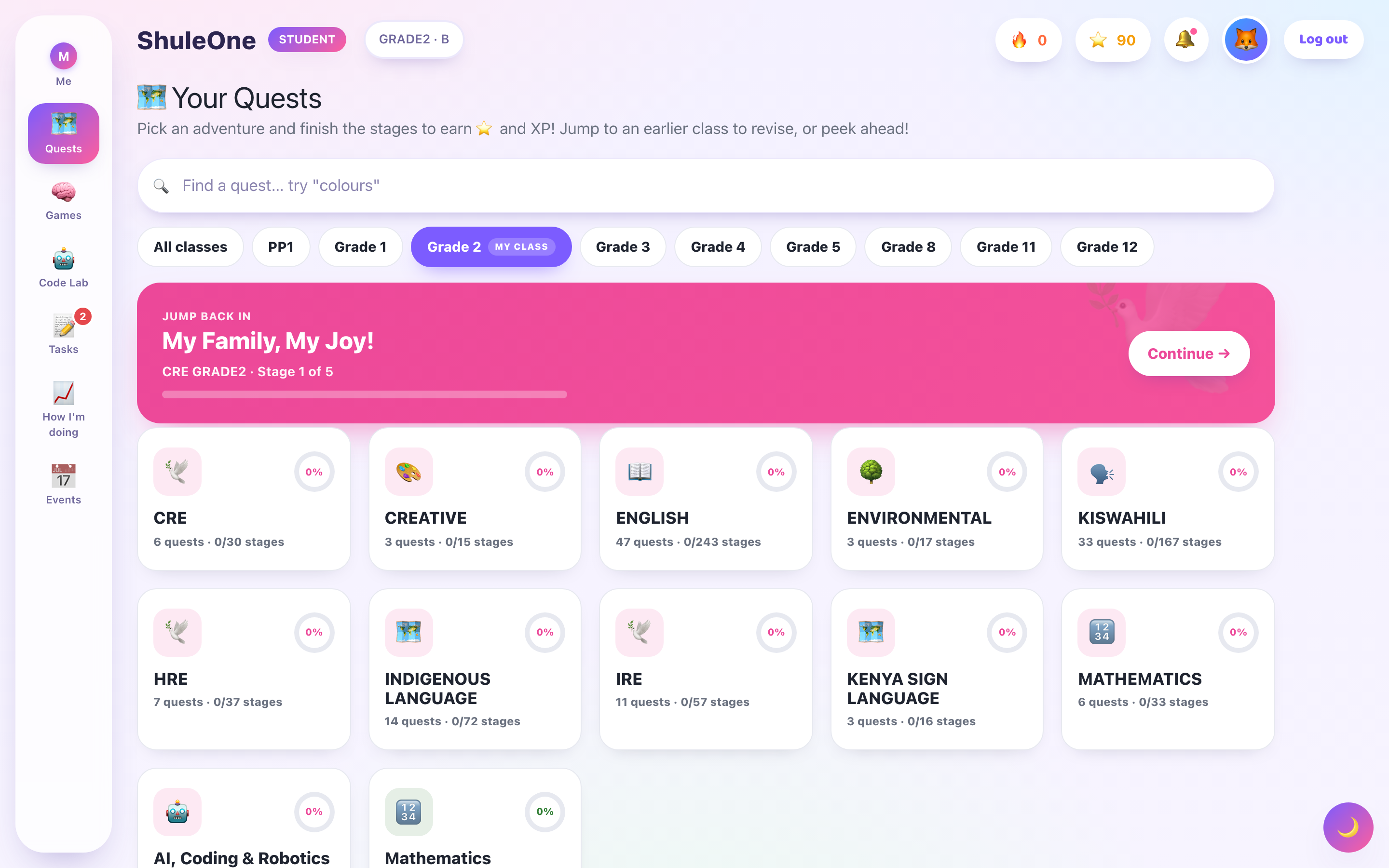
The learner view adapts its labels and layout to the learner’s age tier.
Account-holder verification on mobile
Section titled “Account-holder verification on mobile”For an independent learner account, deleting the account from the learner profile first requires the account holder’s password. A child’s profile PIN is not sufficient. Enter the password in the verification prompt, then review the separate deletion confirmations. Verification does not itself delete or change anything.
Approval is kept only in memory, expires, and clears when the app leaves the foreground, you sign out, or you leave the account page. If the account was created with Google or Apple and has no password, choose Set or reset account password using the account holder’s verified email or phone. Native provider reauthentication is not offered by this prompt. School-linked parents retain their existing account-management flow.
How it fits together
Section titled “How it fits together”Quest → Stage → Lesson → Activity
- A quest is a map covering an area of learning. You can see the whole route and how far along it you are.
- A stage is a stop on that map. Stages unlock as you complete the ones before them.
- Opening a stage opens a lesson.
- A lesson is made of activities — a video to watch, something to read, a thing to try, questions to answer.
You finish a lesson by working through its activities. Finishing a lesson completes the stage, which unlocks the next one.
The portal changes with your age
Section titled “The portal changes with your age”The portal does not look the same for a Grade 2 learner and a Form 4 student. It adapts to five tiers, based on the date of birth or class on your school record:
| Tier | Roughly | What changes |
|---|---|---|
| Sprout | PP–Grade 3 | Big buttons, lots of pictures and sound, very little reading |
| Explorer | Grade 4–6 | Playful, but with more text and longer tasks |
| Voyager | JSS 7–9 | A cleaner layout, less decoration, more independence |
| Scholar | SSS 10–12 | A study-focused interface built around practice and revision |
| Campus | College | The most spare of the five |
This is why your screen may not match a classmate’s, and why it may look different from a screenshot in a guide.
What is in the portal
Section titled “What is in the portal”On a narrow screen, the bottom bar puts additional destinations under More. Tap More to open the menu above the bar, then choose a destination. Tap outside the menu or press Escape to close it without navigating.
| Section | What it is |
|---|---|
| Home | Where you left off, and what to do next |
| Quests | The maps and their stages |
| Lessons | The activities inside a stage |
| Coding | The CBC Innovation Pathway |
| Sandbox | A Scratch editor for building things |
| Games | Learning games and the league table |
| Exams | Practice papers and set exams |
| Past papers | Approved papers, offline reading and linked practice reports |
| Progress | How far you have come |
Parents use the same site
Section titled “Parents use the same site”Parents sign in at the same address and see a parent view of their children rather than a learner view — see the parent guide.
Getting started
Section titled “Getting started”- Sign in.
- Look at your home screen — it tells you what to do next.
- Open a quest and start the first stage.