
GPS tracking and parent notifications
What’s new — 30 September 2026
Section titled “What’s new — 30 September 2026”Transport WhatsApp alerts now use the approved transport_alert template automatically.
An approved template can reach a parent even when they have not messaged the school within
the last 24 hours. While Meta is still reviewing a school’s template, ShuleOne can use a
free-text WhatsApp fallback only for parents whose 24-hour service window is open; SMS and
phone push remain separate configured channels.
Transport → Map, Live Tracking, the Driver Console, the Presentation demo, the signed-in parent web portal, and parent tracking links now use Google Maps consistently. School-location search uses the current Google Places search and shows suggestions as you type. The Pickup points location finder now uses Google Places too, and fills the selected stop’s latitude and longitude. A tracking link draws the real road route from the bus to the learner’s stop when that route is available; it no longer presents a straight line between occasional GPS readings as though it were a driving route.
Live Tracking now also keeps completed journeys available by trip date. Choose a trip to see its saved vehicle path, start and end points, tracked duration, and learner locations. A learner marker uses the calibrated pickup or drop-off first, the assigned route stop second, and—on completed trips—the nearest saved GPS position to the recorded attendance event when neither stop is available. The marker tooltip identifies the source.
Learner markers use the registration photo when one is stored and fall back to initials. The selected next pickup or drop-off is highlighted. While the page is open, vehicle position, trip status, the next learner, and the attendance detail panel update automatically; refreshing the browser is no longer required after a child is marked.
Approach notifications now use each learner’s calibrated morning pickup or evening drop-off coordinate. Morning alerts apply only while the learner is still waiting; evening alerts apply only while the learner is aboard. Each learner receives at most one approach alert per trip. Where a learner has not yet calibrated, ShuleOne can still use a shared assigned route stop when that stop has coordinates.
What’s new — 29 September 2026
Section titled “What’s new — 29 September 2026”Transport → Map now uses Google Maps for the school location and route map. Search for a school or other place in the Google Maps search box and choose a suggestion, or select Choose on map and click the exact point. The blue pending pin can be dragged for a final adjustment; select Save school location when it is correct. The map no longer opens a separate map picker.
What’s new — 12 September 2026
Section titled “What’s new — 12 September 2026”Live Tracking now chooses an active bus with a location when the map opens, centres it and follows new GPS positions automatically. Selecting another bus or choosing Recenter bus also resumes following. Pan, pinch, zoom or rotate the map to pause automatic following; choose Follow bus to resume it.
Opening any transport map in Full screen now resizes and recentres the current bus or route automatically. Choose Exit full screen or press Escape to return.
What’s new — 8 September 2026 (prepared for testing)
Section titled “What’s new — 8 September 2026 (prepared for testing)”Boarding, school arrival and drop-off now save their notification text with the attendance event. Delivery runs separately through the transport message queue, so a slow SMS provider does not block scanning. The parent inbox receives the same event, even if the phone misses the push. Message history is the delivery record: queued is not the same as sent, and failed messages retain a reason and retry history.
Automatic attendance SMS fits one billable segment. The child and event come first; bus and driver/conductor numbers are included when space permits. A tracking link is included only if the whole link fits. Names that require Unicode have the shorter single-message limit; the composer accounts for it. The sender ID supplies the school name. Manual bulk messages and standalone tracking-link messages keep their existing length and cost rules.
Approach notifications prefer the learner’s calibrated pickup point in the morning and calibrated drop-off point in the evening. A shared manifest stop, including a relief pickup, is used only when that learner has no direction-specific calibration. Morning alerts target children still waiting; evening alerts target children aboard. A bus reaching the coordinate does not itself confirm that a child boarded or got off.
Parents see the current trip’s driver and conductor contact numbers when recorded. A tap on a phone push opens its selected message at the top of Notifications, followed by the recent inbox. The website bell refreshes on each opening and expands the selected message before Open update.
Map controls — prepared for testing
Section titled “Map controls — prepared for testing”On Live Tracking, an active reporting bus is selected and followed automatically. Choose Recenter bus to return to the selected vehicle and resume following, or Show fleet to see all vehicles with locations. Stop following, or move the map manually, to explore freely; choose Follow bus to resume.
Choose Full screen for more map space. The map recentres automatically after it expands. The Bus to track selector and the fleet controls remain available there, so you can change vehicles without closing the map. Choose Exit full screen or press Escape to return. Live updates continue while the map is expanded.
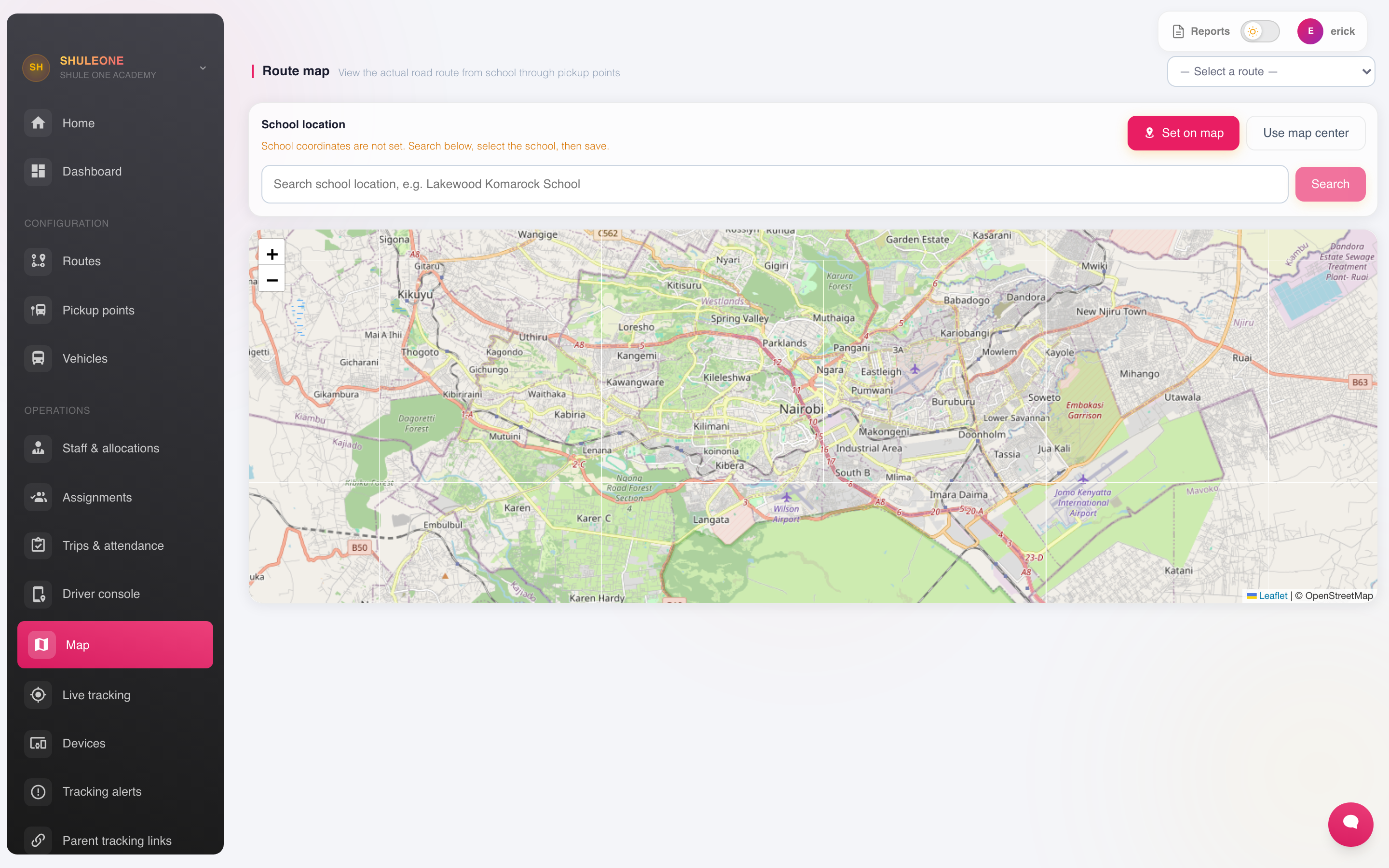
The route map also has Show route to fit the school and stops into view. Search the Google map for a school or place, or select Choose on map and click the exact point to set the school origin. The parent tracking-link page has Recenter bus and Full screen controls.
GPS devices
Section titled “GPS devices”Go to Transport → GPS Devices to register the trackers fitted to vehicles.
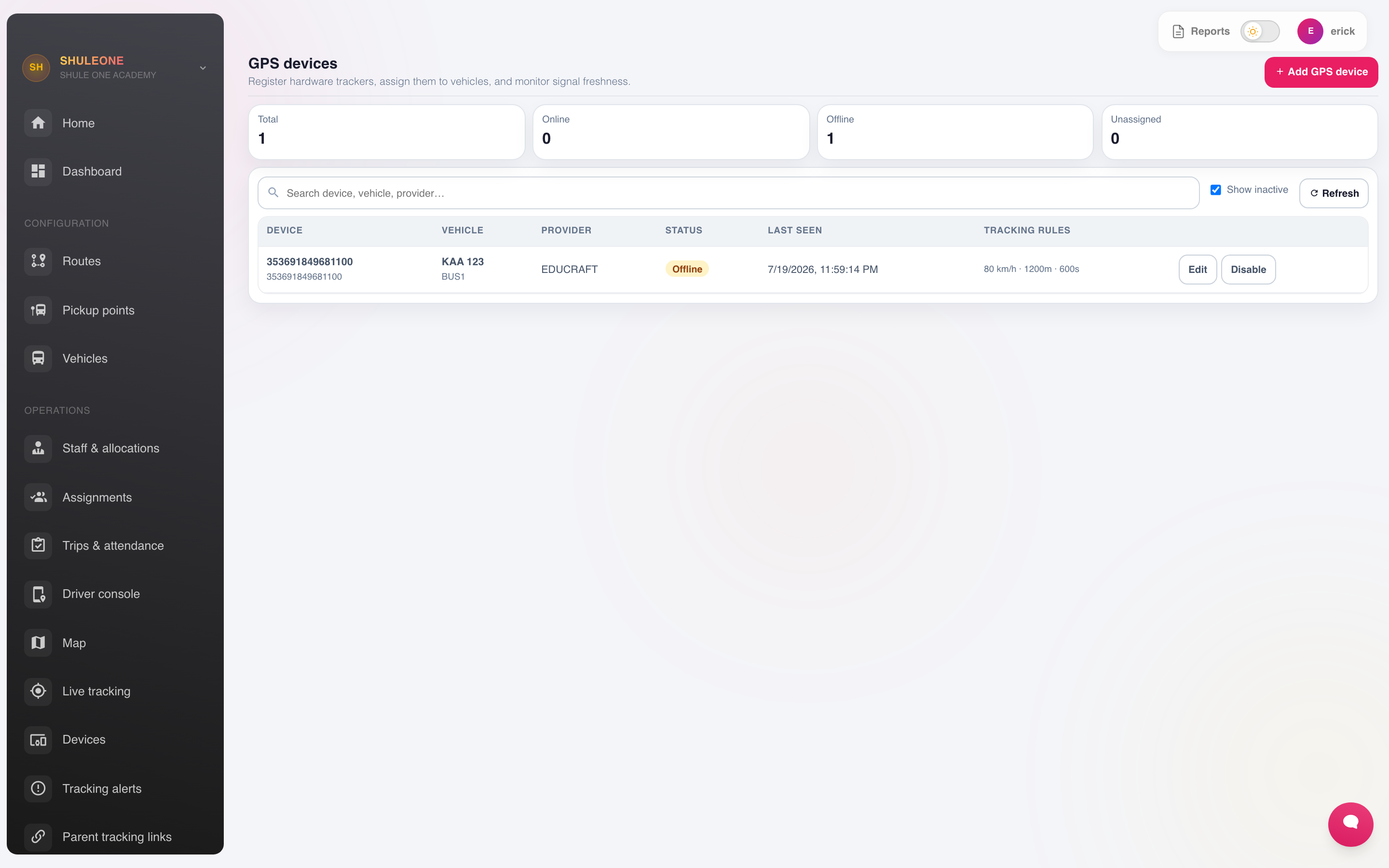
Record the device identifier — usually the IMEI printed on it — and the vehicle it is fitted to. Once it is reporting, the vehicle appears on the live map.
A device that stops reporting is usually a power or SIM problem in the vehicle rather than a fault in ShuleOne. Check the vehicle before raising a support call.
Transport → Devices covers other in-vehicle hardware, such as card readers used to record boarding.
Live tracking
Section titled “Live tracking”Transport → Live Tracking, Transport → Map, and the signed-in parent web portal show current vehicle locations on Google Maps. Staff views also show the assigned route and current trip.
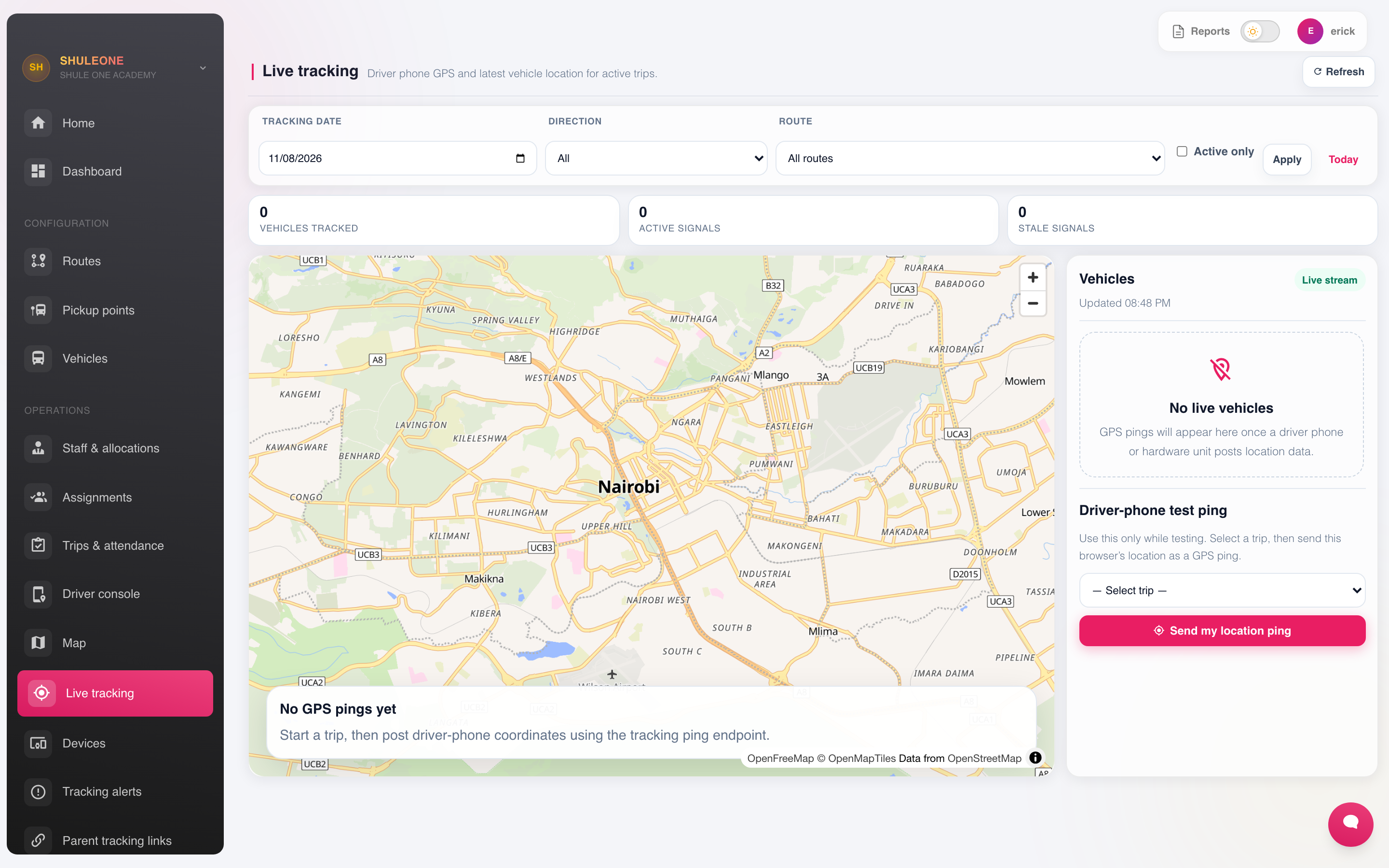
Use it for the questions the office is actually asked:
- Where is the bus, and how late is it?
- Which vehicle is nearest to a breakdown?
- Did the vehicle follow its route?
To review an earlier journey, change Trip date and select the trip from the right-hand list. The blue line is the saved GPS path. S and E mark its first and last recorded positions. The trip card reports how many GPS points and learner locations are available. Completed history appears only where the trip has saved GPS points; ShuleOne does not invent a route for an untracked journey.
On today’s active trip, learner photos and attendance status refresh while the screen remains open. A socket update normally appears immediately, and the complete trip and manifest state is reconciled automatically every 15 seconds if an event is missed.
Alerts
Section titled “Alerts”Transport → Alerts raises a notification when something happens that someone should know about:
- A vehicle deviating from its route.
- Speeding above a set threshold.
- A late departure or arrival.
- A prolonged unscheduled stop.
- A device going offline mid-trip.
Configure alerts to go to the transport officer and, where appropriate, the head.
Parent tracking
Section titled “Parent tracking”Transport → Parent Tracking controls what parents can see of the vehicle their child is on.
Where it is enabled, a parent sees the vehicle’s position and its expected arrival at their pickup point while a trip is running. A tracking link also shows the remaining road route to that stop when routing is available — through the parent app, or a tracking link.
Transport → Messaging Settings decides what parents are told automatically:
- The vehicle has departed the school.
- The vehicle is approaching their pickup point.
- Their child boarded, or did not.
- The vehicle is running late.
Where the school has a complete WhatsApp Business setup, these automatic transport updates
use the approved transport_alert template. Template messages are not restricted to the
24-hour service window, so an approach, boarding or drop-off update can still be delivered
when the parent has not recently written to the school. Meta must first show the template as
Approved. A template that is pending, rejected or missing cannot carry an out-of-window
message; ShuleOne records that delivery failure instead of reporting it as sent.
Two things worth deciding deliberately:
Timing. An “approaching” message five minutes ahead is useful. One thirty seconds ahead is not.
Scope. Parents should see the vehicle their own child is on, during the trip their child is on it — not the whole fleet all day. The default settings do this; check them before enabling tracking rather than after.
Messages
Section titled “Messages”Transport → SMS and Transport → Messages send to the parents on a route — a delay, a breakdown, a change of arrangement. This is a route-scoped version of the communication module, and it is the right tool when a particular bus is an hour late.
Reports
Section titled “Reports”Transport → Reports covers trips completed, punctuality by route, distance and usage per vehicle, and alert history.
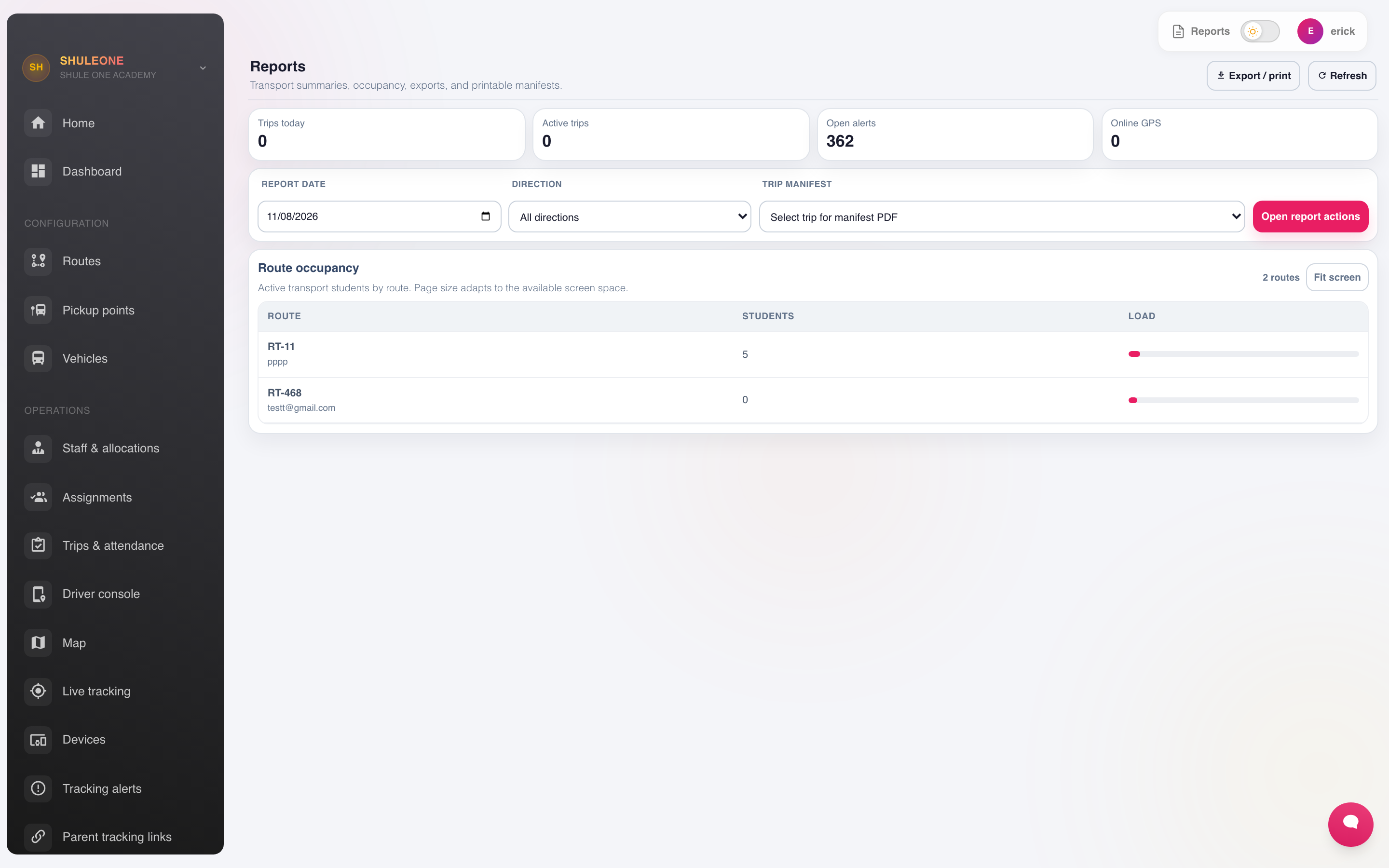
Punctuality by route is the useful one. A route that is late three mornings a week has a schedule problem, and the fix is usually the pickup times rather than the driver.