
For parents
There are three ways to reach your child’s school record, and they show the same thing:
- ShuleOne Connect — the app for Android and iPhone. The best of the three, because it can notify you.
- portal.shuleone.co.ke in any browser — the same address your child uses. ShuleOne recognises you as a parent and shows you a parent view rather than a learner view.
- WhatsApp — for a quick answer, with nothing installed.
This guide describes what you see, whichever you use. Where the app does something the browser cannot, it says so.
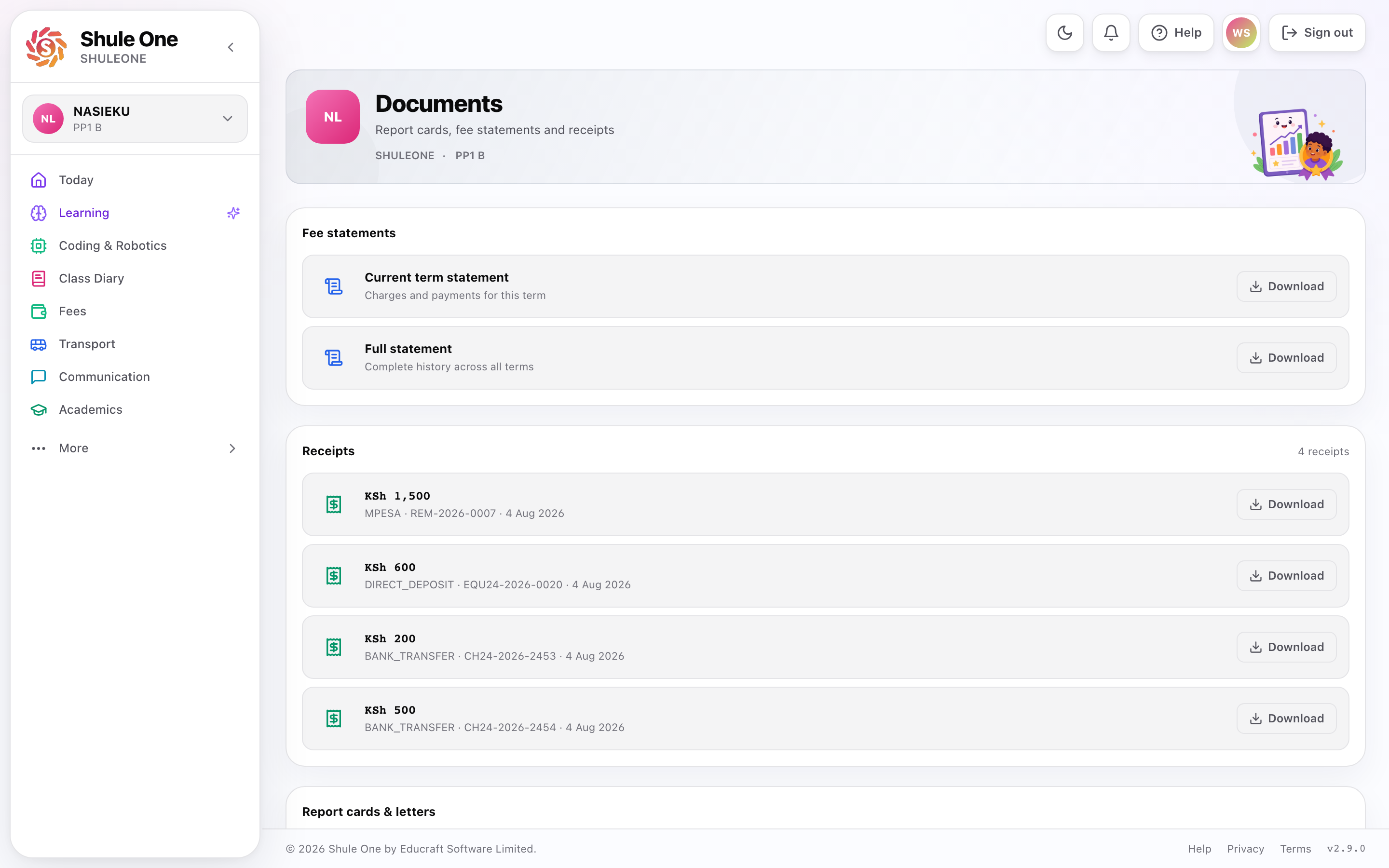
The parent view provides downloadable school documents, reports and receipts.
What you can see
Section titled “What you can see”Choose your child’s learning interests (web, awaiting deployment)
Section titled “Choose your child’s learning interests (web, awaiting deployment)”Select the child on Home, then choose Personalise learning. Pick up to three interests and an optional learning goal, using Next, Back, or Skip for now. Each sibling keeps separate choices. These preferences help the tutor choose relevant examples; they are not parent ratings or measured ability and do not change school results. See Personalisation steps.
| Screen | What is there |
|---|---|
| Overview | Everything that needs your attention today |
| Academics | Results, reports and how your child is doing |
| Finance | Fee balance, statements, and paying |
| Attendance | Days present, absent and late |
| Communication | Messages and notices from the school |
| Diary and calendar | Term dates and what is coming up |
| Learning and progress | What your child is working through |
| Transport | Where the bus is |
| Documents | Report cards, receipts and letters, downloadable |
| Settings | Your details and notification preferences |
More than one child
Section titled “More than one child”If you have several children at the school, the child switcher at the top changes whose information you are looking at.
Check which child is selected before reading a balance or a result. It is the single most common source of confusion in the parent view.
Fees can be paid per child, and the overview shows all of them together so you can see the whole picture at once.
You may not need to sign in at all
Section titled “You may not need to sign in at all”For most quick questions there is a faster route: WhatsApp.
Send balance to the school’s ShuleOne number and the balance comes back. results,
homework, where is the bus, attendance — all of them work, in English or Kiswahili,
with nothing to install and no password. It knows you by your phone number.
Use the parent view below when you want to sit down and look at something properly. Use WhatsApp for the other twenty times a term.
→ What parents can ask on WhatsApp
Signing in
Section titled “Signing in”Your account is created by the school from the guardian details on your child’s admission record. You do not sign yourself up.
Sign in with your email or phone number and password, or Continue with Google if the school holds a Google address for you.
If the school has the wrong number or email for you, sign-in will not work and you will not receive messages. Ask the office to correct it on your child’s record — it cannot be changed from your side.
What to do first
Section titled “What to do first”- Sign in and check the child switcher shows the right child.
- Look at the fee balance so there are no surprises later.
- Check your contact details in Settings, since this is where SMS and messages go.
- Look at the diary for the term’s dates.
Where the information comes from
Section titled “Where the information comes from”Everything you see is the school’s own record, live — the same data the school office is working from. Nothing is re-keyed for parents.
That means when something is wrong, it is wrong at the school, not in your view of it. Tell the office, and the correction appears here.
A note on what this is for
Section titled “A note on what this is for”The parent view is designed so you can see how your child is doing without having to ring the school for every question. It is not a surveillance tool, and it works best as a prompt for a conversation with your child rather than a substitute for one.
The most useful things in it are the ones that show a pattern — attendance that has started slipping, a subject that is dropping, work not being submitted — because they show up here weeks before they show up in a report card.