
Payroll
Earnings
Section titled “Earnings”HR → Earnings defines what makes up gross pay.
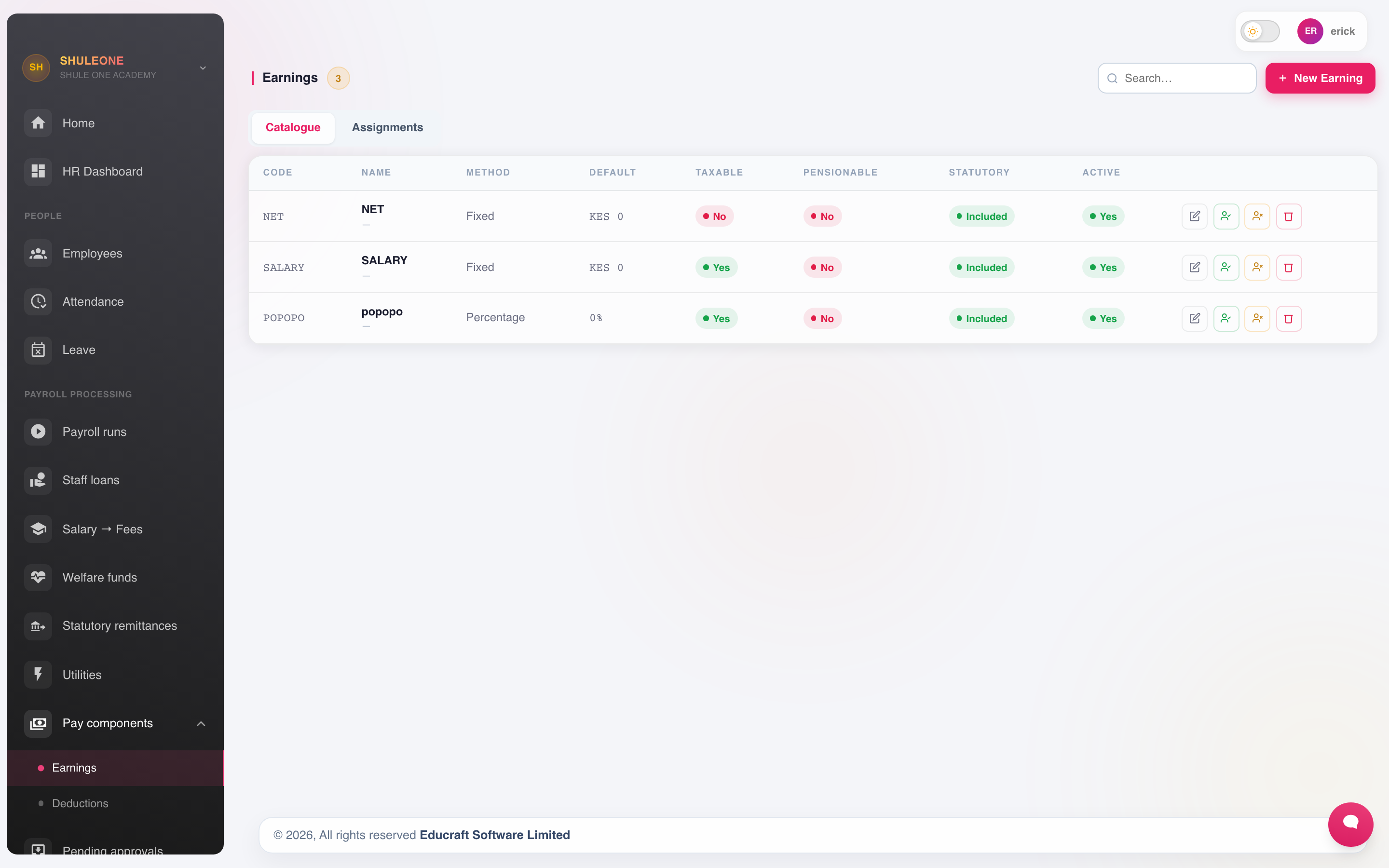
Earning types show their method, default, tax treatment and active status.
An earning is a fixed amount or a percentage of basic, and is marked as taxable or not. Typical earnings are basic pay, house allowance, responsibility allowance, commuter allowance and acting allowance.
The taxable flag matters: getting it wrong understates or overstates PAYE for every employee who receives that earning, and the error compounds monthly until it is found.
House allowance
Section titled “House allowance”Deductions
Section titled “Deductions”HR → Deductions defines what comes off.
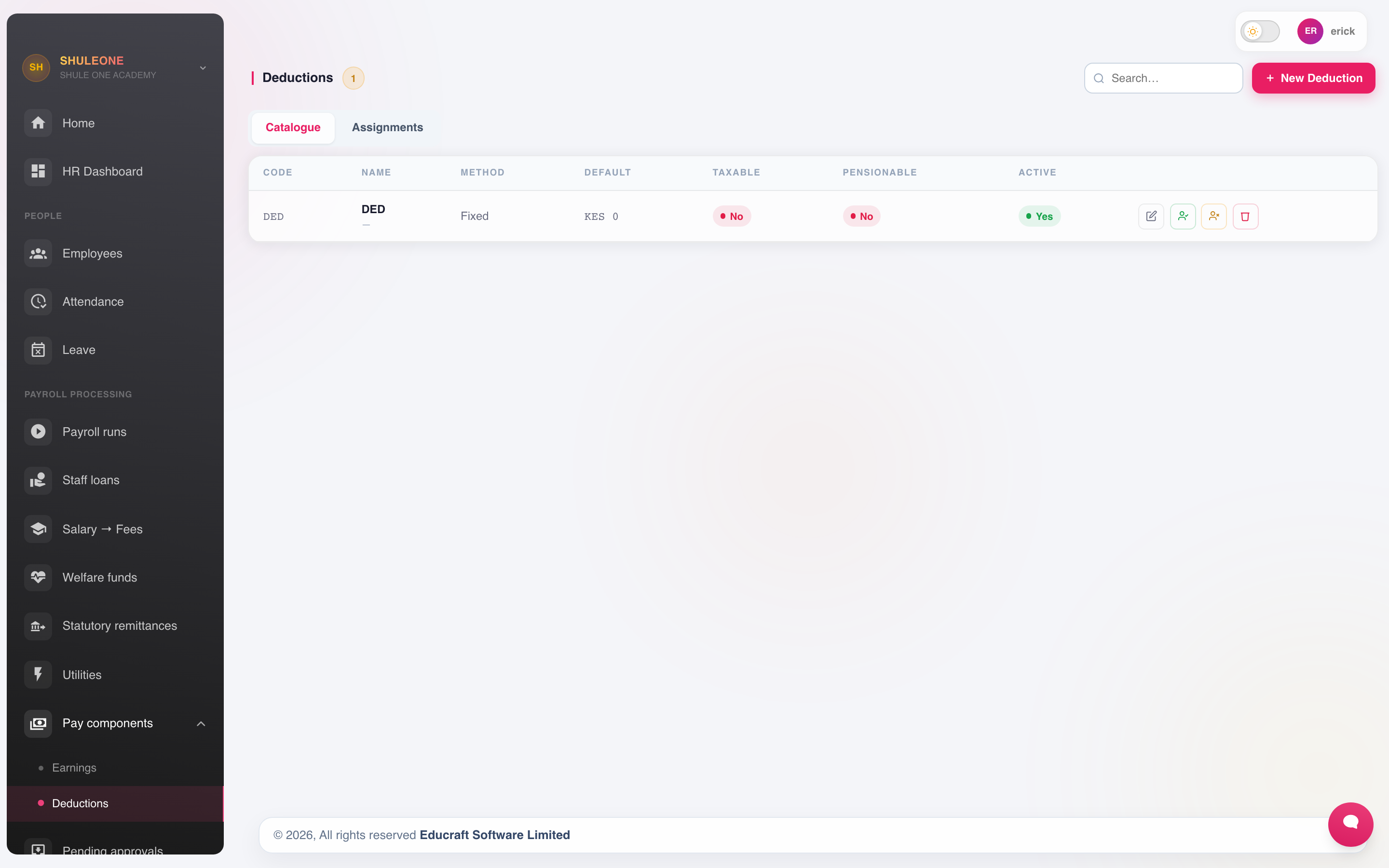
Deduction types show their calculation method and current status.
These are the school’s own deductions — welfare, sacco, union dues, salary advances. Statutory deductions are handled separately below. A deduction is a fixed amount or a percentage, and can be capped.
Two special cases have their own screens because they need schedules rather than a flat amount: loans and staff fee deductions.
Assigning earnings and deductions to employees
Section titled “Assigning earnings and deductions to employees”An earning or deduction reaches a payslip only once it is assigned to an employee. On HR → Earnings or HR → Deductions, open the assignments view and choose New Assignment. The Employee picker accepts one person, several people, or everyone:
- One employee — tick a single name. This is the only choice when editing an existing assignment.
- Several employees — tick each name; the list stays open so you can keep ticking. Search narrows the list by name, staff number, phone or department, and Select shown ticks every name the search is showing, for example a whole department. The modal lists who will receive the assignment before you save.
- All active employees — the first option in the list.
When more than one employee is targeted, Overwrite existing assignments decides what happens to people who already have the same earning or deduction. Leave it ticked to set everyone to the new amount; untick it to leave their current amount alone. The confirmation reports how many assignments were created, updated and skipped. An HR User’s bulk assignments are queued for HR Admin approval like single ones.
For a per-diem earning, Number of Days applies to every selected employee. Gratuity service dates differ per person, so set those one employee at a time.
Statutory deductions
Section titled “Statutory deductions”Rates are held under HR → Payroll → Statutory, and the platform-wide rates under Platform → Statutory.
PAYE is calculated on the taxable earnings from the bands and reliefs configured here.
Running a payroll
Section titled “Running a payroll”Go to HR → Payroll and select New Payroll Run.
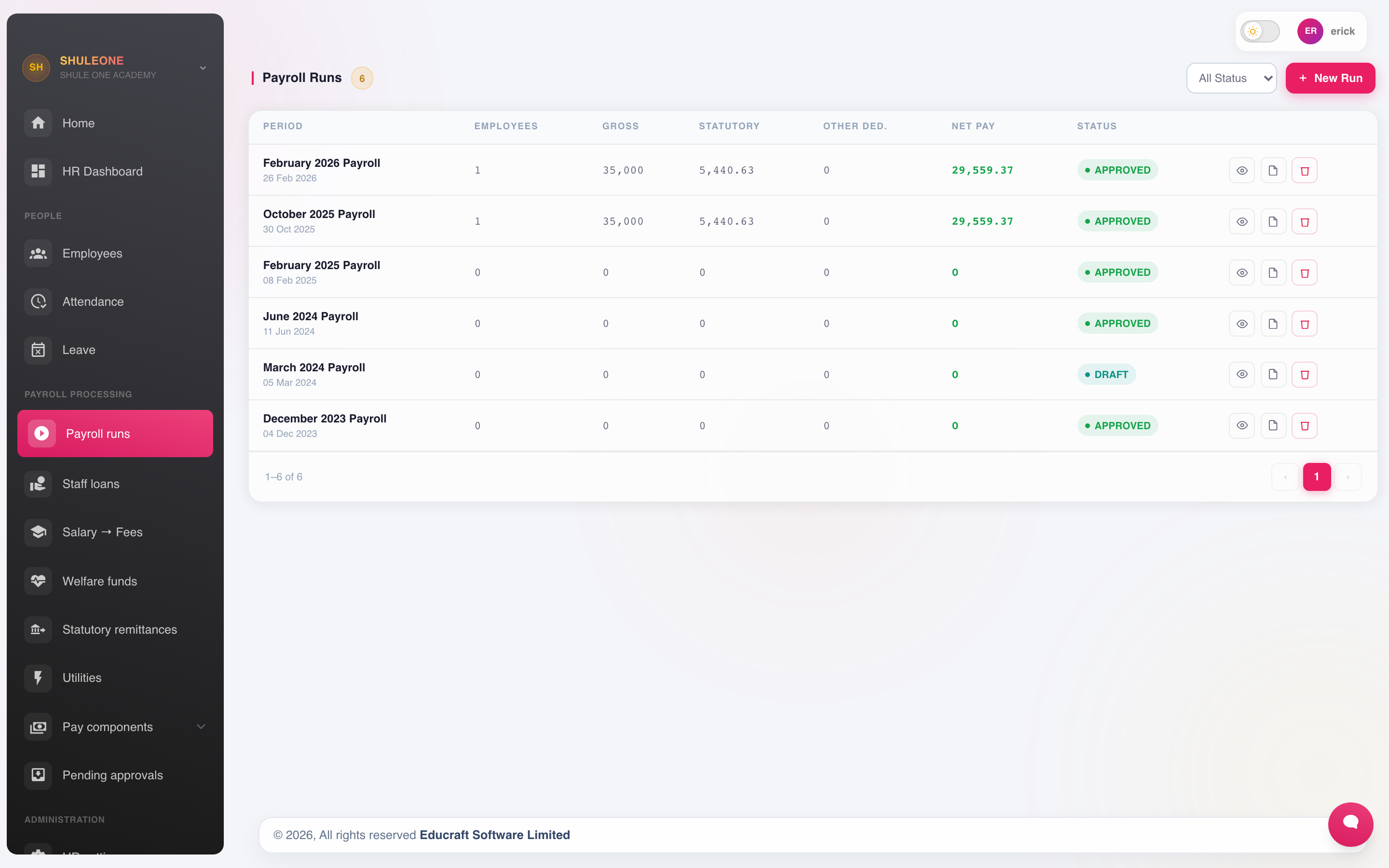
The payroll list shows the period, headcount, gross, deductions, net pay and approval state.
- Choose the period. One run per pay period.
- Choose who is included. By default, every active employee. Exclude anyone who should not be paid this period.
- Generate. ShuleOne calculates gross, statutory deductions, other deductions, loan repayments and net pay for each employee.
- Review. This is the step that matters — see below.
- Approve. The run goes through the approval route in HR settings.
- Pay, then generate payslips and returns.
On the payroll run page, open Reports to download the payroll summary, registers, payslips, statutory returns and payment files. On a narrow screen, Reports may wrap below the other run actions; its list scrolls to show all available reports.
Each state-changing action is processed once. If two people—or two browser requests—try to generate, approve, pay, cancel or reverse the same run together, ShuleOne finishes the first request before evaluating the next one against the updated status. Do not repeat-click while a button is processing; if another request completed first, refresh the run to see its new state.
Approval also commits each staff school-fee deduction as one Internal Transfer receipt on the linked student’s fee account. If Approve is clicked again while the first request is still processing, ShuleOne waits for the first approval and does not create another receipt. A deduction that failed to reach Finance remains on the fee deduction reconciliation list for an authorised retry; do not post it manually as a second receipt.
Suspensions and part-month pay
Section titled “Suspensions and part-month pay”When an employee is suspended, record the exact From and To dates and choose the pay percentage for that window. Payroll pays the days outside the window normally and applies the selected percentage only to the suspension days.
The notes on suspension-adjusted Basic Salary and House Allowance now show Suspension deduction: KES …. This is the reduction already included in that earning, after any part-month employment adjustment; do not enter it again as a separate deduction. Recalculate a draft run to include the breakdown on its payslips.
If an administrator corrects a served suspension, ShuleOne keeps both history entries for audit. Overlapping entries do not dock the same calendar day twice: the lowest recorded percentage applies to that day. The employee list also shows that effective percentage on the Served suspension marker.
Reviewing before approval
Section titled “Reviewing before approval”Never approve a run without reading it. Check:
- The total. Compare gross and net against last month. An unexplained jump is a data error until proved otherwise.
- The headcount. Does it match the staff you expect to pay? Leavers still included, joiners missing?
- Zero and negative net pay. Usually deductions exceeding gross — often a loan repayment plus an advance in the same month.
- New starters and leavers. Part-month pay calculated correctly.
- Anyone whose pay changed. Confirm each change was intended.
An approved run should not be corrected by editing figures. Reverse it and run again.
Payslips
Section titled “Payslips”Once approved, payslips are available per employee from HR → Payslips, and can be printed or emailed. They show earnings, deductions, statutory contributions, net pay and year-to-date figures.
On an Approved or Paid payroll run, choose Email All to send each employee their own payslip PDF as an attachment from no-reply@shuleone.co.ke. Confirm the action; preparing the PDFs continues in the background. The result reports how many emails were queued, skipped for a missing or invalid employee email address, or could not be prepared. Queued means scheduled for delivery, not yet delivered. Use the envelope action beside one employee to email just that payslip, or Email PDF on the payslip detail page. Repeating a manual action sends a new email.
To send automatically when a run is marked Paid, enable Auto-email payslips in HR → Settings. The school’s Communication → Settings must also have email delivery enabled. Keep employee email addresses current before approving the run.
On the ShuleOne Admin mobile app, employees open HR & Payroll → Payslips to see their approved or paid months, earnings, deductions and net pay. Open a month to view its full breakdown and PDF. View or save PDF opens the document inside the app; saving or sharing is a separate choice in the viewer. Draft and Calculated runs do not appear. Personal loans remains in the same HR & Payroll hub where lending is enabled.
If more than one underlying instruction contributes to the same deduction label—for example two school-fee instructions for one student—the payslip prints each source line. The visible deduction lines therefore add up to Total Deductions and reconcile to net pay. Repeated lines are a signal to inspect the employee’s active instructions, not a display shortcut hiding part of the amount deducted.
Statutory returns
Section titled “Statutory returns”HR → Payroll → Statutory Remittances produces the returns and schedules for PAYE, NSSF, SHIF and the housing levy for a period, in the formats the authorities accept.
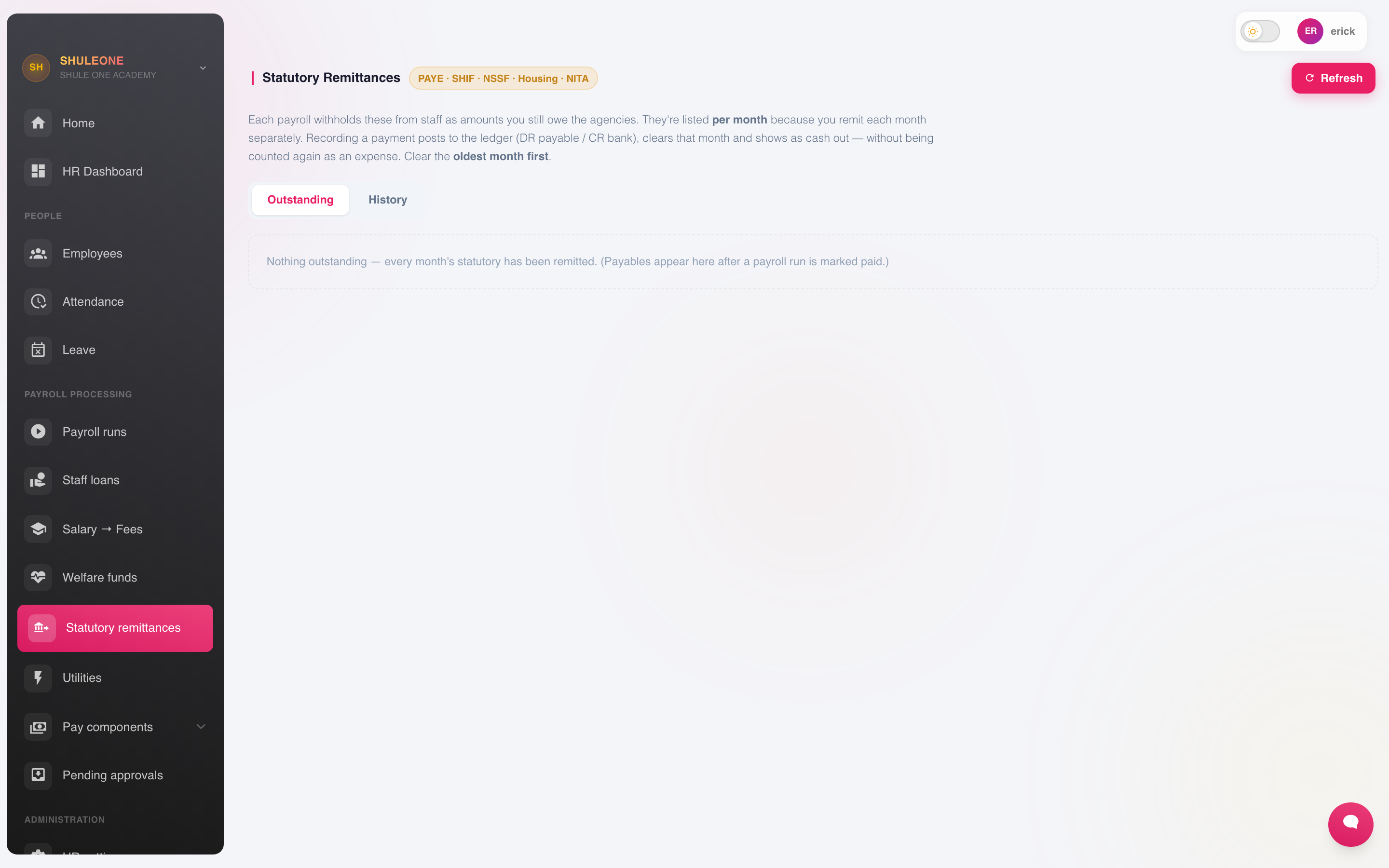
The remittance workspace separates outstanding items from payment history.
Generate them from the approved run rather than assembling them by hand, so what is filed matches what was paid. File and pay by the statutory deadline — ShuleOne produces the return, it does not submit it for you.
If the agency or bank settles a system-calculated remittance with a rounding difference of up to KES 5.00, use Finance → Bank Reconciliation to select the statement movement and the remittance cash-book row. Confirm the offered rounding adjustment instead of editing the payroll calculation or creating a manual bank journal.
At year end, produce each employee’s P9.
What’s new - 9 October 2026
Section titled “What’s new - 9 October 2026”Payroll runs now offer Email All and individual payslip email actions alongside SMS. Each email carries only that employee’s PDF from the ShuleOne no-reply address. The automatic email setting now describes its paid-run behaviour and email-delivery requirement.
What’s new - 8 October 2026
Section titled “What’s new - 8 October 2026”Mobile Payslips now opens approved and paid payroll periods and their PDFs. Staff can also reach leave, attendance and their own disciplinary records from the same HR & Payroll hub.
What’s new - 7 October 2026
Section titled “What’s new - 7 October 2026”The ShuleOne Admin dashboard now groups staff services under HR & Payroll. Personal loan applications remain available under the new entry.
What’s new - 28 September 2026
Section titled “What’s new - 28 September 2026”The earning and deduction assignment picker now accepts several employees at once, not only one employee or all active employees. See Assigning earnings and deductions to employees. Bulk assignments also keep the per-diem Number of Days instead of dropping it.
What’s new - 1 September 2026
Section titled “What’s new - 1 September 2026”Payroll calculation, approval, payment, cancellation and reversal now serialise overlapping requests. Loan repayments, welfare contributions, statutory remittances, salary-to-fees postings and their ledger journals also have once-only safeguards. This prevents a double-click or overlapping request from changing balances, creating loan schedule rows or crediting a staff student’s fee account twice. Existing duplicate receipts still need an authorised Finance reversal after the bursar confirms the valid receipt against the employee’s payslip deduction.
Payslip PDFs now retain distinct deduction source lines that share the same display code. This keeps the printed line total consistent with total deductions and net pay while still suppressing exact legacy copies of one source row.
What’s new - 27 August 2026
Section titled “What’s new - 27 August 2026”Payroll now collapses overlapping suspension history to one effective rate per calendar day. A lower-rate correction, such as changing a served window from 50% to 0%, takes priority without deleting the original audit record or deducting the same day twice.