
Sending messages
Go to Communication → SMS.
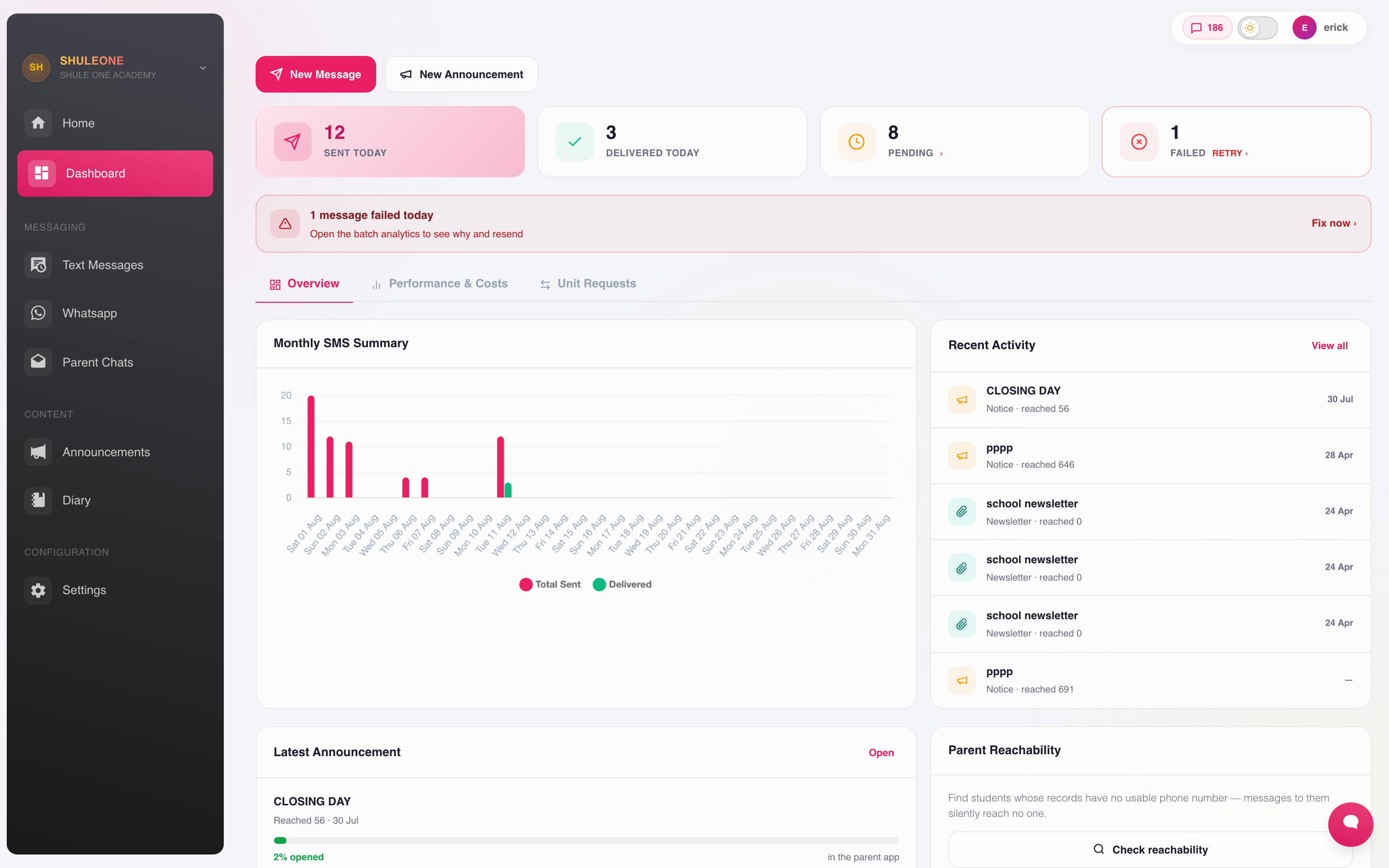
The messaging dashboard summarises delivery, estimated cost and recent activity.
The module sidebar gives you the Dashboard, Text Messages, WhatsApp, Parent Chats, Announcements, Diary and communication Settings. Start on the dashboard for today’s delivery figures, recent activity, parent reachability and performance over a selected date range.
SMS sender ID
Section titled “SMS sender ID”New ShuleOne schools default to SHULEONE as their SMS sender ID. EPAL is reserved for Ed Partners schools; select it explicitly when setting up an Ed Partners school. Existing schools retain their configured sender ID.
Sending an SMS
Section titled “Sending an SMS”Open New message.
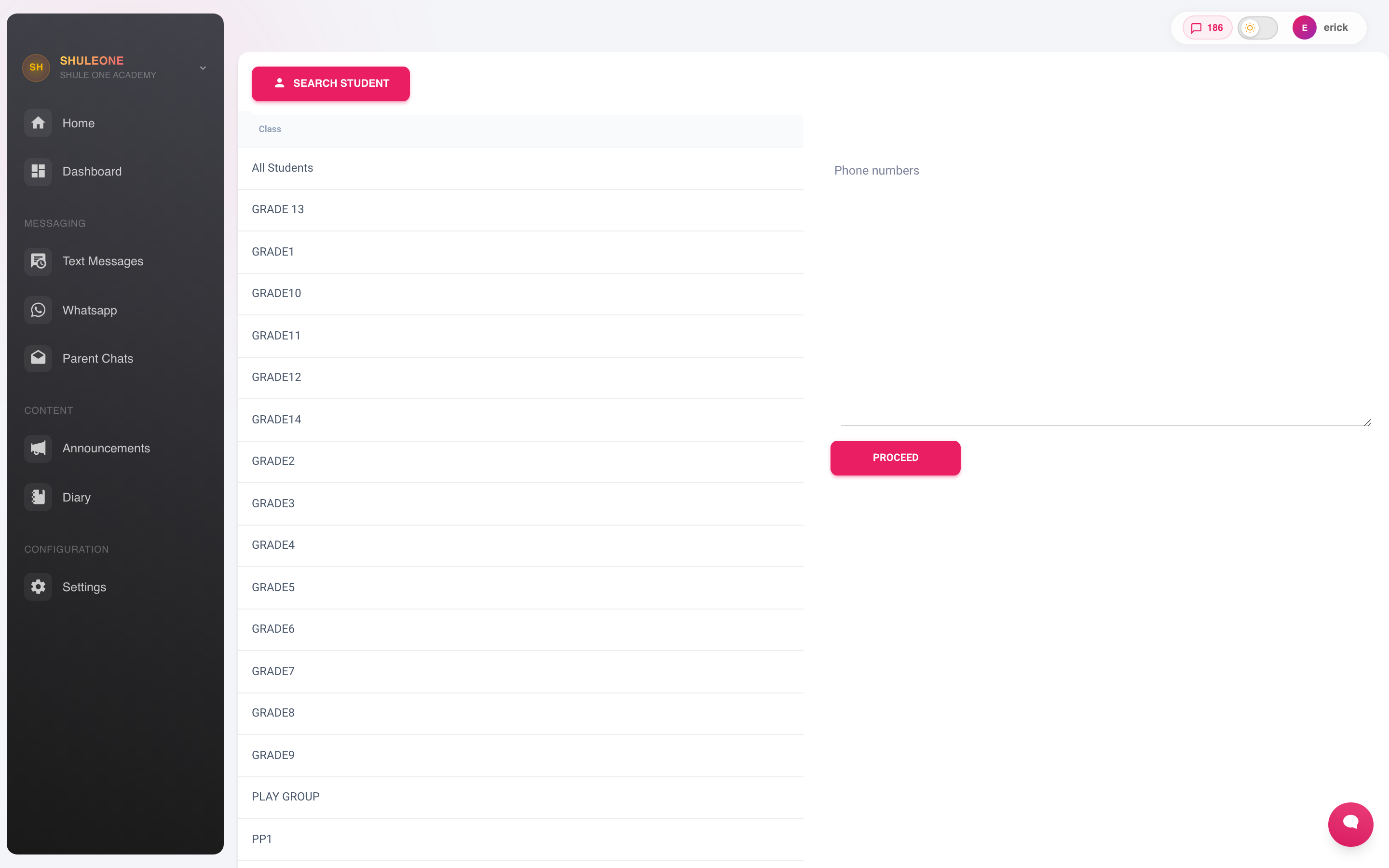
- Choose the recipients. Pick groups — All Students, a class, a stream — or use Search student to add individuals. You can also paste numbers directly, and send to a filtered list such as fee defaulters.
- Proceed to the message itself.
- Choose or write the message. Pick a template or type it.
- Check the counters. The screen separates people from phone numbers, then shows SMS per person, total messaging units required and your available balance. One learner can produce more than one recipient number when both parents are enabled.
- Send.
Use Communication → Settings to choose One parent or Both parents. With one parent, also choose Father first or Mother first; if that parent has no valid destination, ShuleOne tries the other parent. The Guardian fallback switch sends to one guardian only when neither father nor mother has a valid destination. A guardian never fills a missing second-parent slot. Both parents is the system default for new or previously unconfigured schools.
For example, a learner with father, mother and guardian contacts reaches only the preferred parent in one-parent mode, or father and mother in both-parent mode. A learner with only a father and guardian reaches the father only. A guardian is used only when no parent can receive the selected channel. The same rule is applied again by the server when the message is sent, so the recipient preview and final delivery remain aligned.
The composer disables Send Message when the balance is too low and tells you how many units are missing.
Message length and special characters
Section titled “Message length and special characters”One standard SMS segment is up to 160 GSM-7 characters. A longer message is split into 153-character segments. Emoji and characters from scripts that cannot be represented as plain GSM-7 use Unicode, where the limits are 70 characters for one segment and 67 for each part of a longer message.
ShuleOne changes common smart punctuation — such as curly quotation marks and long dashes pasted from Word — to safe plain-text equivalents before sending. If another character still forces Unicode, the composer identifies it and shows the higher cost before you send.
Before you press send
Section titled “Before you press send”An SMS cannot be recalled. Thirty seconds of checking is cheaper than an apology to every parent in the school.
- Read the preview, not the template. A merge field that did not resolve shows here.
- Check the recipient count. If you meant Form 2 and it says 840, stop.
- Check the length and encoding warning. Long or Unicode messages can use several units per recipient. The on-screen counter uses the same calculation as the sender.
- Check names and dates in the text itself.
Where the school has WhatsApp enabled, open Communication → WhatsApp. Use the Chats and Bulk messages switch at the top to move between conversations and template campaigns.
The inbox, its live updates and the WhatsApp wallet are available only to staff with Send custom SMS, All or Super administrator authority. Being assigned to the school by itself does not grant access. Ask a school administrator to assign the communications role if WhatsApp is part of your work; do not share another staff member’s account.
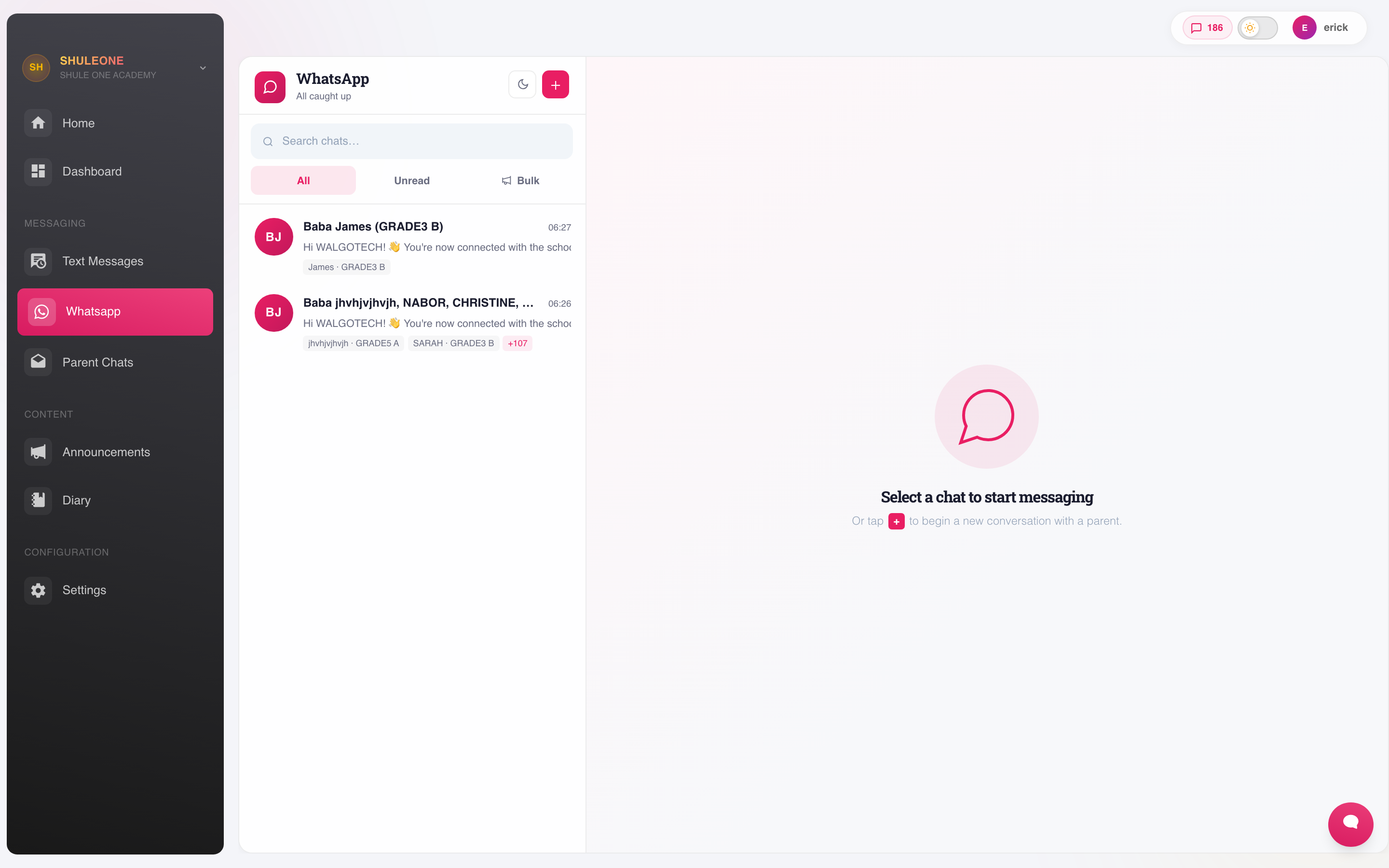
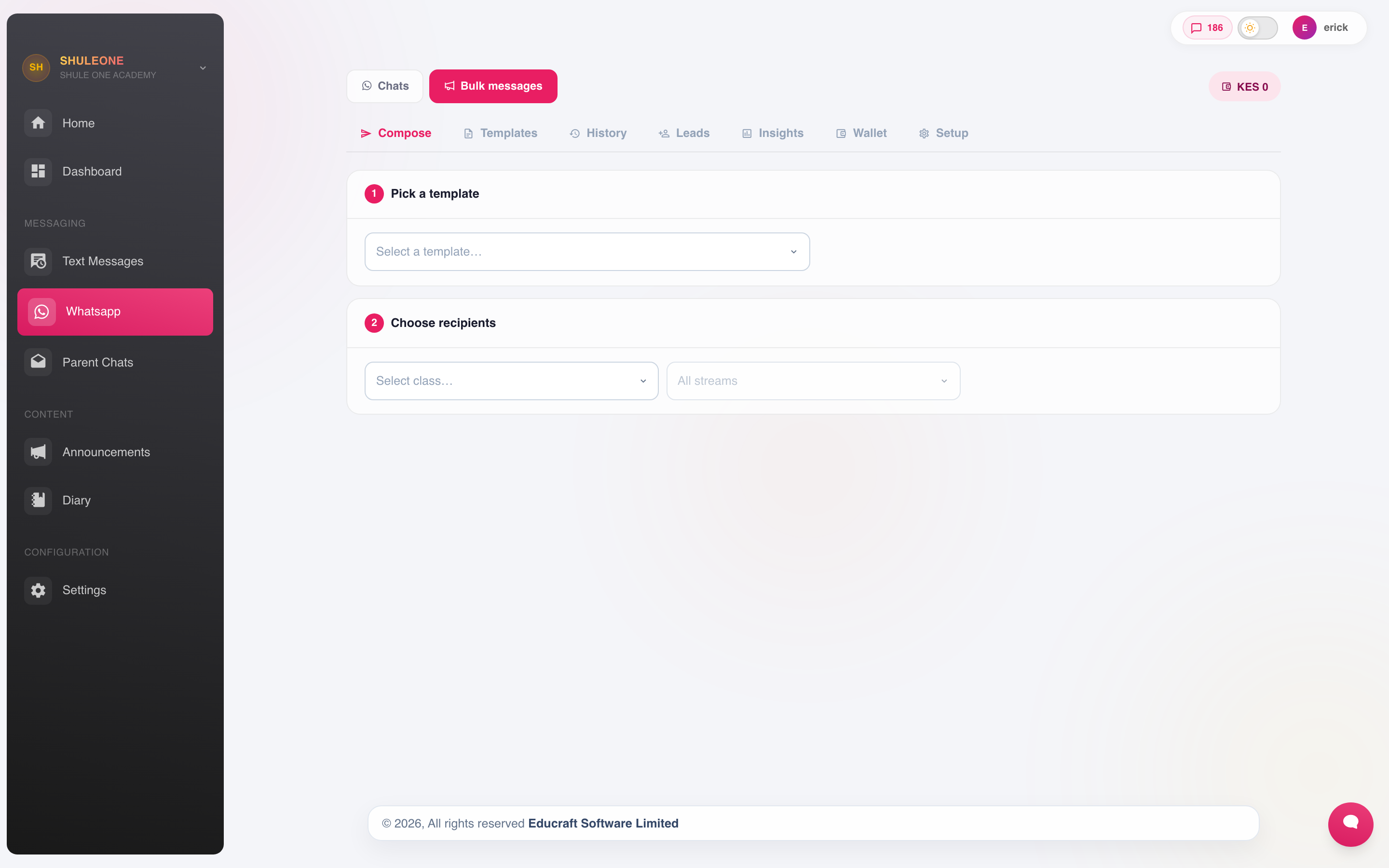
WhatsApp carries more text and supports attachments, which makes it the better channel for a newsletter or a report card. It only reaches parents who use WhatsApp on the number the school holds, so most schools use both: WhatsApp where it works, SMS as the fallback.
ShuleOne re-checks the parent’s current school relationship and phone number before it links or reuses a conversation. A number shared by more than one eligible parent stays unmatched instead of selecting one family by guesswork. If a parent’s number changes, start or reopen the chat from the current parent record so the old number cannot retain the learner link.
Replying after 24 hours
Section titled “Replying after 24 hours”WhatsApp normally permits a free-form school reply for 24 hours after the parent’s most
recent message. When that window is closed, write the reply in Chats as usual.
ShuleOne sends it through the school’s approved parent_support_reply template instead
of allowing WhatsApp to reject it. The composer does not show a warning for this normal
template handoff. Photos, videos and documents use matching approved media versions of
that template.
Starting a chat with a new external number follows the same approved-template path, because that number has not opened a 24-hour window yet. ShuleOne makes pasted line breaks and extra spacing safe before placing staff text into a template. The school’s own Meta WhatsApp account must still have an active phone number, access token, billing currency and payment status. Two schools can use identical template wording while only one can send if Meta has restricted the other school’s business account.
If a reply is too long for a WhatsApp template, or it contains audio, a voice note or a
sticker, ShuleOne sends the approved conversation_restart prompt and safely retains the
staff reply for 24 hours. If the parent responds within that time, their message
reopens the service window and the retained reply is sent automatically. It expires
after 24 hours and is not sent on a later response, so an old answer cannot arrive days
after it was relevant.
The chat bubble says whether the answer was sent directly or retained awaiting a parent response. Approved template replies consume the messaging units shown under WhatsApp → Bulk messages → Wallet. If the required template is not approved or the wallet cannot cover it, the draft stays in the composer so staff can correct the issue without losing their reply. ShuleOne also checks the school’s required outbound Meta credentials before creating or charging a template send. A missing-credentials error therefore does not create a failed campaign followed by a wallet refund.
If Meta reports an account-level payment or currency restriction, ShuleOne temporarily stops repeat attempts before charging. Correct the issue in Meta WhatsApp Manager, wait about 15 minutes, then retry. Recipient-specific failures continue normally and do not block other parents.
Direct messages
Section titled “Direct messages”Communication → Parent Chats is a conversation with one parent or member of staff rather than a broadcast. Use it for anything specific to one family — an absence, a fee arrangement, a behaviour matter.
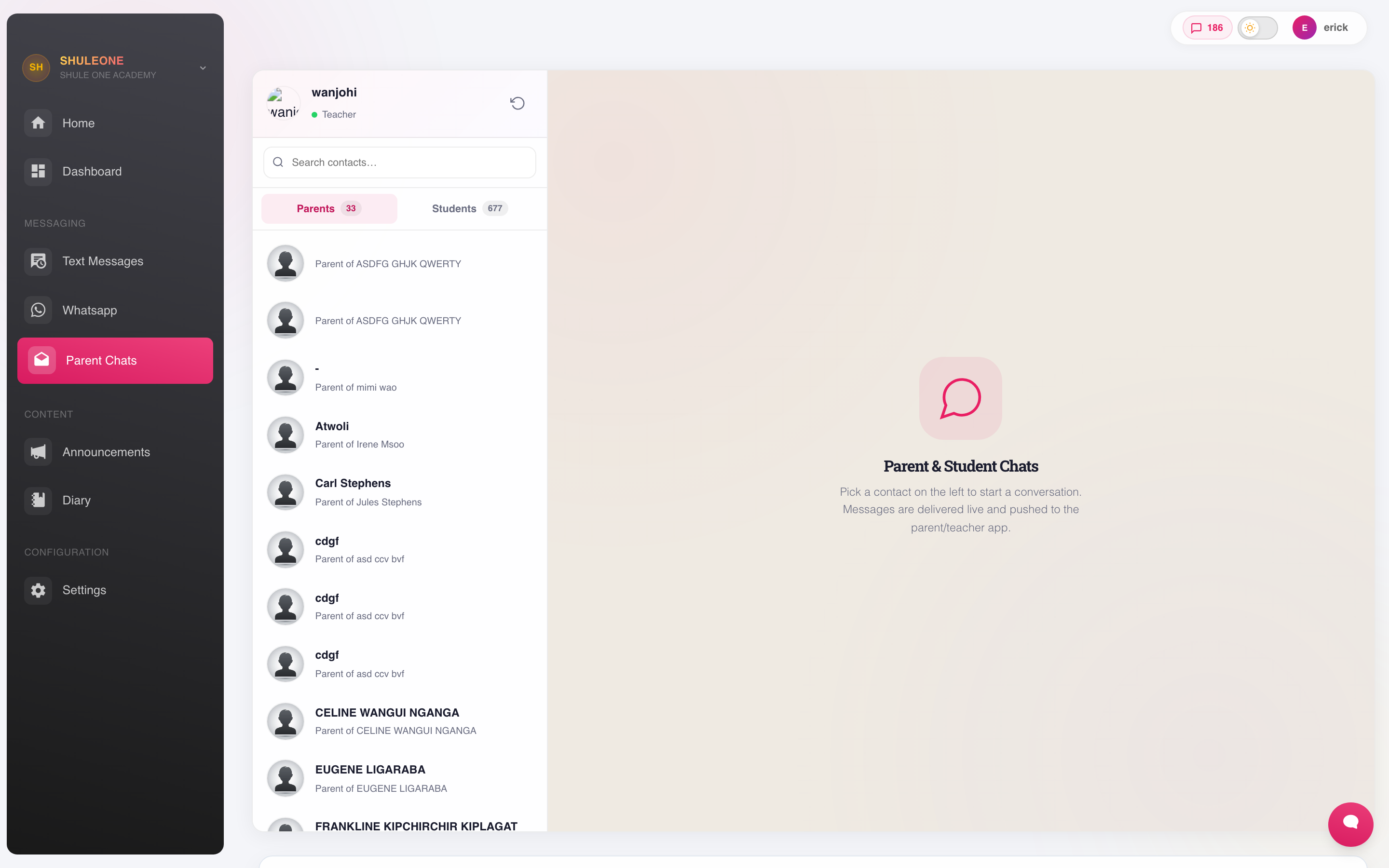
The conversation stays attached to the record, so the next person who picks it up can see what has already been said.
The chat contact list contains parents only. Learner accounts do not currently have person-to-person teacher chat, so students are not offered as direct-chat contacts. Parents use a short child-based label such as Mama Neema · Grade 4 Blue. Where one account covers several children, the label keeps the first child and adds a compact count such as +2; the registered parent’s name remains underneath.
Who receives what
Section titled “Who receives what”Recipients come from the contacts on the underlying records:
- Parents — the father and mother contacts on the student record, with the configured guardian fallback.
- Staff — the numbers on their registration record.
- Students — their own numbers, where the school holds them.
Undelivered messages are almost always a wrong or missing number. Fix them at the record rather than keeping a private list, or the next sender hits the same problem.
Communication credit is displayed as messaging units. For ShuleOne-managed SMS, one unit sends one SMS segment to one phone number. A two-part message sent to 500 numbers therefore uses 1,000 units. WhatsApp templates use the number of units shown for their message category on WhatsApp → Bulk messages → Wallet.
The shared retail rates are managed centrally for ShuleOne and BomaSuite. At the current rate, one messaging unit is KES 0.60. One SMS segment uses 1 unit. WhatsApp uses KES 8 for Marketing, KES 2 for Utility, KES 1.50 for Authentication and KES 0 for Service messages. The Wallet screen always shows the live shared rates; use that screen if a later pricing update differs from these examples.
Which balance does my school use?
Section titled “Which balance does my school use?”Most schools use one ShuleOne communication wallet for SMS and WhatsApp. The balance is shown in the Communication navigation and in the WhatsApp Bulk Wallet tab. You can top it up through the M-Pesa prompt, review top-up history and confirm a payment that is still pending. Failed provider sends are refunded automatically. If your account has access to several schools, both balance locations follow the school selected in the sidebar; switch schools before reviewing or topping up that school’s wallet.
In Exam Analysis, Communication Wallet History shows each purchase’s KES amount, date and payment status, using the same purchase amounts shown in Finance. A dash means the purchase amount is unavailable; it does not mean the purchase cost KES 0.
Meta can rarely report a failure and then later confirm that the same message was delivered. In that case ShuleOne removes the stale failure from the chat and restores the exact original charge once. It does not use the current price or charge twice.
If an M-Pesa receipt appears in your phone but the history still says Pending, open the history and select Confirm payment. ShuleOne actively asks M-Pesa for that checkout’s final result; it does not create another payment or another credit. A successful confirmation can take a short time immediately after entering the PIN. If M-Pesa has not returned a final result, the message below the history explains that the payment is still being verified—wait briefly, then confirm again. It is safe to select Confirm payment while the M-Pesa receipt is arriving: ShuleOne preserves the receipt and applies the credit as soon as both M-Pesa checks agree.
Do not manually add the same receipt a second time. If support already loaded the receipt into the communication ledger, confirmation recognises the matching amount and marks the purchase successful without increasing the balance again.
Some schools have SMS managed directly by an external provider such as Africa’s Talking or Chacha. On those accounts:
- the SMS dashboard displays the provider name and its SMS-unit balance;
- ShuleOne wallet top-ups buy WhatsApp messaging units only; and
- SMS credit must be recharged using the provider’s instructions.
The amber provider notice on the SMS dashboard tells you when this applies. Do not top up the ShuleOne wallet expecting it to increase an externally managed SMS balance.
Schools in the same linked group can request or approve transfers of ShuleOne-managed messaging units from the dashboard’s Unit Requests tab. This option is not shown for externally managed SMS accounts.
Check the balance and required units before a large run. The composer now stops an unaffordable send before it reaches the provider.
Helping resolve a parent chat
Section titled “Helping resolve a parent chat”Open Parent Chats → Admin help & resolutions. Teachers see requests involving their conversations; school administrators with the school-wide administrator role see the active school’s resolution queue. Open a request to read its participants, status, Original conversation, and shared resolution updates. Use Load older messages to review earlier original messages.
Use Send shared reply to respond to the parent and staff member together. To record progress, write a note and choose Mark in review with note. When the issue is addressed, write the explanation and choose Resolve with note. The parent sees the note and status in the same conversation’s admin-help panel. Original messages are retained, and the parent can request help again after resolution.
Teachers can also open a parent conversation and use Admin help & resolutions to share it with their school’s admin team. Check the destination and add a short explanation before sharing. Reply feedback is about the answer’s usefulness, not a public performance score. Unrelated teachers and other schools cannot open a case.
What’s new — 12 September 2026
Section titled “What’s new — 12 September 2026”Message recipient settings now separate the number of parents from guardian fallback. Schools can choose one preferred parent or both parents; a guardian is contacted only when neither parent has a valid destination. This applies consistently to SMS, WhatsApp campaigns, email and automated school notifications. Apply the matching database migration before deploying the API.
What’s new — 8 September 2026
Section titled “What’s new — 8 September 2026”Parent chats now include reply feedback and a shared admin resolution queue. Shared resolution replies appear in the admin-help panel; ordinary chat replies continue to the parent directly. The staff chat list now contains parent accounts only and uses compact child-and-class labels so teachers can identify the correct family. to go directly to the selected contact.