
Receipting payments
Go to Finance → Fee Payments.
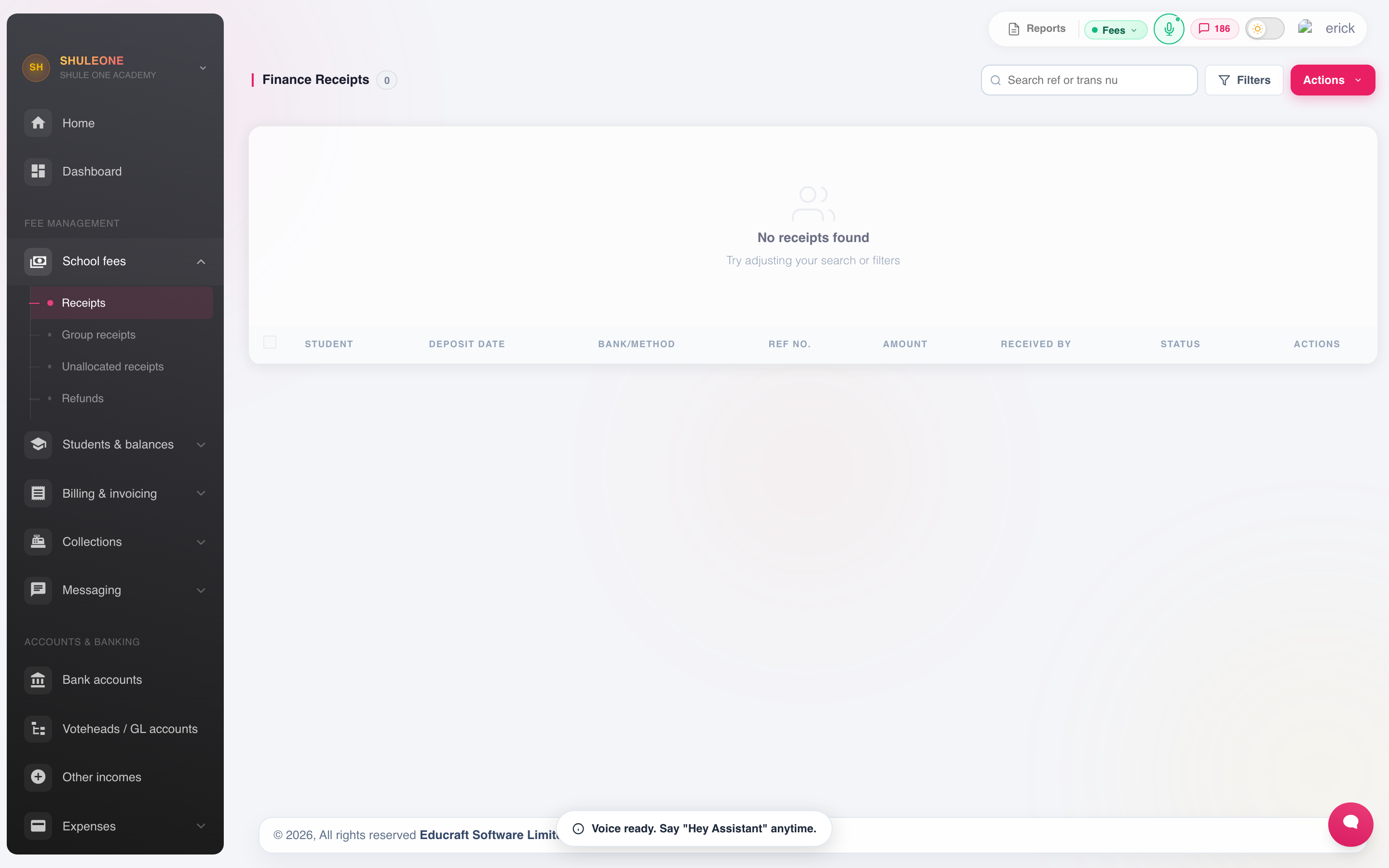
The receipt list can be searched and filtered; this capture has no matching receipts.
Who can receive payments
Section titled “Who can receive payments”An account needs Pay fees, Finance admin or a higher administrator permission to record or allocate a receipt. View only users can search, inspect, print and export previous receipts. When they also have Send fee balances, they can resend an issued receipt to a parent. Payment, allocation, reversal and bulk-upload actions remain unavailable to them. See Accounts and roles for the full permission guide.
Receipting a payment
Section titled “Receipting a payment”- Find the student by name or admission number.
- Their outstanding invoices appear, by votehead.
- Enter the amount received.
- Choose the method — cash, cheque, bank transfer, M-Pesa or other — and record the reference: the M-Pesa code, cheque number or bank slip number.
- Confirm the date. It defaults to today; if you are entering a bank deposit from last week, set the actual date so the cashbook is right.
- Select Save.
The receipt number is generated by ShuleOne and cannot be edited.
Allocating across voteheads
Section titled “Allocating across voteheads”Where a student owes several voteheads, the payment is allocated across them. Follow the school’s policy consistently — most schools clear tuition first — because an inconsistent allocation makes votehead-level income reports meaningless.
Printing
Section titled “Printing”Receipts carry the school profile and stamp. If the letterhead is wrong, fix it there rather than reprinting from a corrected copy.
Single, selected, class and whole-term bulk receipt prints follow the receipt type saved in the school profile, including dot-matrix layouts. This also applies to each class PDF in a bulk ZIP. If an earlier bulk download has the wrong layout, generate a new print job after the correction; an existing downloaded PDF does not change.
Previously issued receipts are always reachable — a parent who has lost theirs does not need a new one.
Open Past receipts from the payment window to see both dates carried by each receipt:
- Posting date is the date the receipt was entered into ShuleOne.
- Date paid is the actual payment or deposit date recorded by the cashier.
These dates can differ when an older bank deposit or M-Pesa payment is posted later. Use Date paid when matching the receipt to the payer’s message or bank statement, and use Posting date when tracing when the entry was made in ShuleOne.
Group receipts
Section titled “Group receipts”One payment covering several students — a parent with three children, or a sponsor paying for a group — is receipted once under Finance → Group Receipts.
To enter a newly verified manual transfer covering several learners, open Finance → Fee Payments → Actions → New Payment → Split. Enter the one bank or M-Pesa reference and total, then add each learner and their allocation. The total allocations must equal the transfer. The resulting group receipt can be viewed under Finance → Group Receipts. For a lender batch, use the allocation list on Finance → Parent fee financing after confirming the school received the funds.
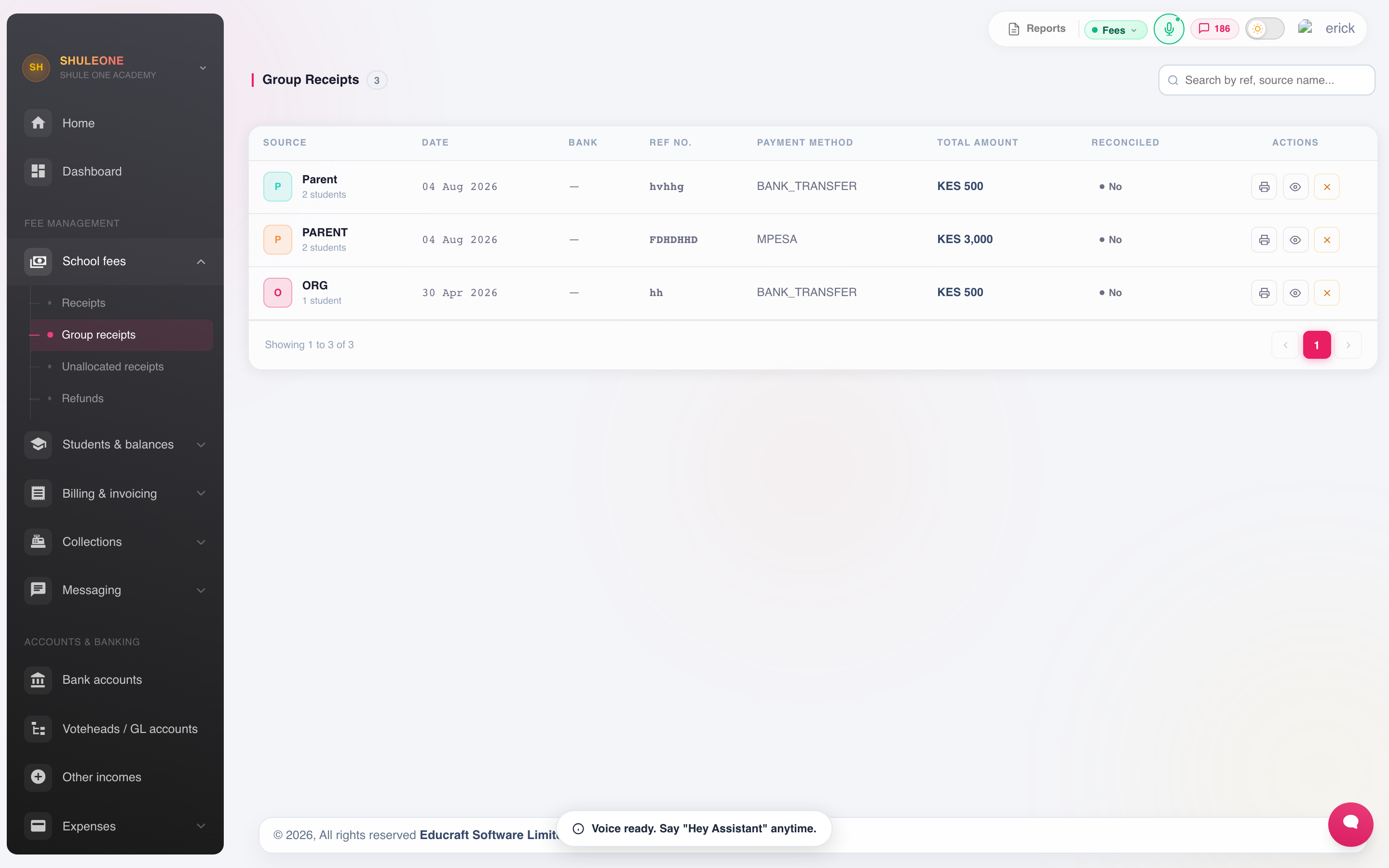
Group receipts retain the source, student count, method, amount and reconciliation state.
Add each student and the amount going to them; the total must equal the payment. One receipt is issued, and each student’s account is credited with their share. Receipting these separately loses the connection between them, which makes the payment hard to trace when it is later queried.
Cheque and cash collections
Section titled “Cheque and cash collections”Cheque and cash collection groups the day’s takings for banking.
Print the schedule, bank against it, and use it when you reconcile. This is what turns “the bank shows one deposit of 340,000” into a list of the receipts that made it up.
Viewing collections
Section titled “Viewing collections”Student Collections shows what has been collected over a period, by class, votehead or method.
Run it daily and reconcile against the cash actually banked. A daily check finds a mis-keyed receipt the same day; a monthly one finds it after the parent has left the country.
Overpayments
Section titled “Overpayments”An overpayment sits as a credit on the student’s account and is set against the next term’s invoice automatically. It only needs action if the parent asks for the money back, which is a refund.
Correcting a mistake
Section titled “Correcting a mistake”Receipts are never deleted. To correct one, reverse it and issue a fresh one.
A reversal leaves three things visible: the original receipt, the reversal, and the replacement. That is what an auditor needs to see. Always record the reason.
Reverse when the amount, student, date or method is wrong. Do not reverse simply because a parent wants a receipt reprinted — reprint it.
ShuleOne never reissues a bank or M-PESA reference that already appears in receipt history. This includes a receipt that is awaiting reversal approval and one that has already been crossed. A reversal removes the accounting effect; it does not make the original bank transaction a new payment. If the payment needs to be corrected or moved to another learner, complete the reversal and contact support to link the correction to the existing payment; do not change the code or post it again in Receive Payment. Automatic recovery checks recent payments from the previous two hours. If an older payment is still missing, review it in Unreconciled Payments or contact support instead of waiting for the automatic process.
Unreconciled payments
Section titled “Unreconciled payments”Unreconciled Payments lists money received that has not yet been matched to a bank statement line — typically bank transfers and mobile money that arrived without a clear reference. Clearing this list is part of bank reconciliation, and letting it grow is the fastest way to lose track of what the school actually holds.
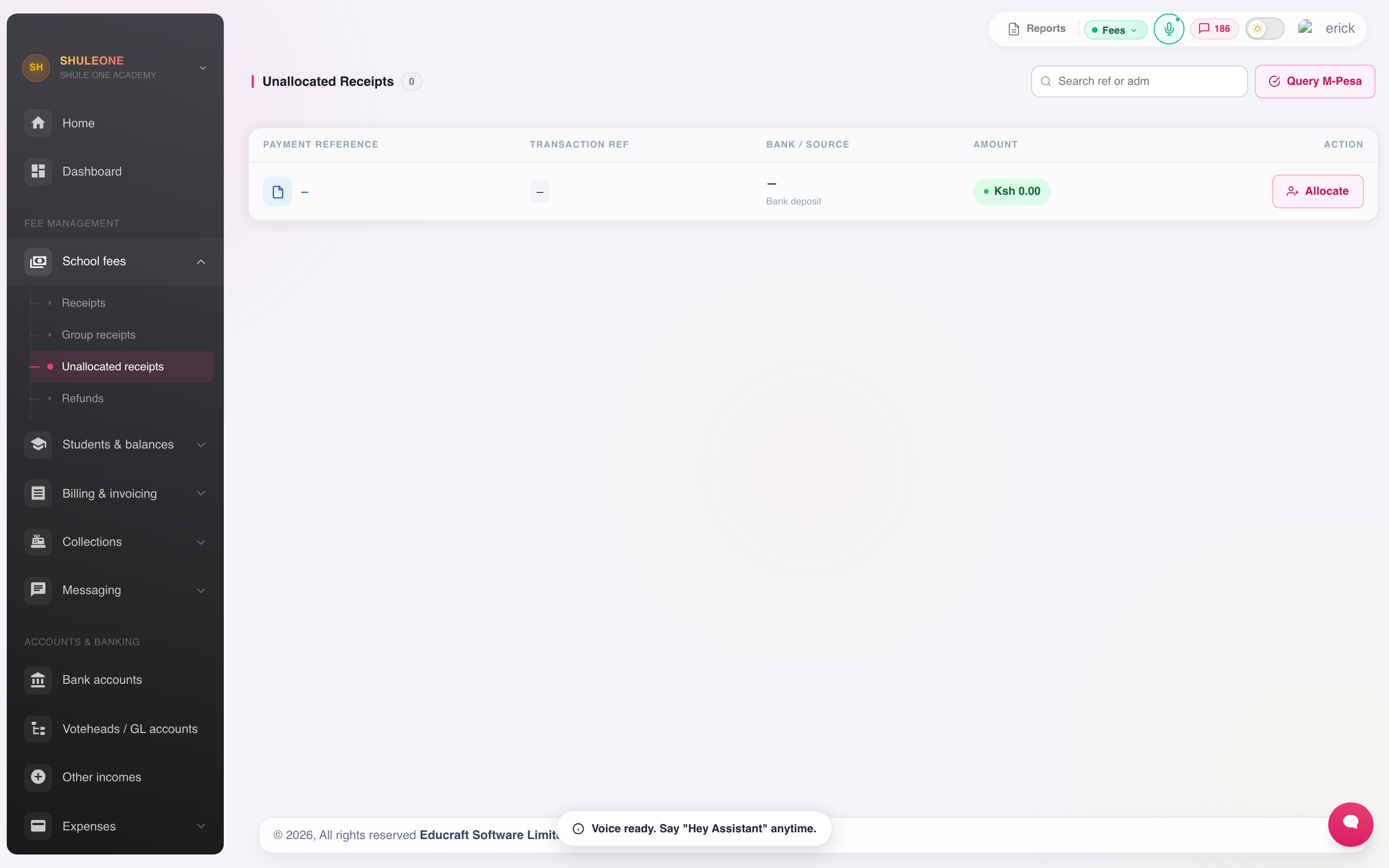
The unallocated-receipts queue provides an Allocate action for each unmatched payment.
Some bank-collected M-PESA payments have two references: the bank transaction code
(such as an FT… code) and the M-PESA confirmation shown on the payer’s phone (such as
U…). ShuleOne treats these as two names for one payment. A receipt found under either
reference is removed from the unallocated list, and neither reference can be allocated
again—even when the earlier receipt has been crossed. When both are available, the
payment row and allocation window show them separately as Bank and M-PESA codes.
Search accepts either code, so schools can use the reference from either the bank
statement or the payer’s confirmation message.
ShuleOne also checks a uniquely matching admission when the payer omitted leading zeroes
or typed the letter O in the number portion, for example SMS097 for SMS0097 or
SMSOO59 for SMS0059. This correction is automatic only when it identifies one learner.
If more than one learner could match, the payment stays in the exceptions queue for a
person to confirm; ShuleOne does not guess.
Shared paybills across branches
Section titled “Shared paybills across branches”When sister schools use one paybill, ShuleOne separates incoming payments by their branch ownership instead of showing every paybill transaction in every school:
- This branch contains only payments routed to the active branch. ShuleOne first looks for one exact student admission match. A paybill or bank account configured for only one school can also own an unmatched reference for manual allocation. When the paybill is shared, a unique admission prefix configured for the branch can own it.
- Shared paybill exceptions contains references that have no branch match or have more than one possible match. The same exception is not copied into each branch’s normal queue.
An Account matched badge means the paybill itself identifies this school but the reference did not identify a learner. Check the payer’s details, then allocate it to the correct learner. This keeps mistyped references visible to a standalone school without weakening the prefix protection used by genuinely shared paybills.
For an exception, check the payer’s message or bank statement, switch to the branch that should receive the money, then select Allocate and choose the learner. The allocation records that branch as the payment owner. If you are unsure which branch is correct, leave the item in the exceptions queue and ask the payer or support; do not create a separate manual receipt.
An M-PESA or bank reference already used by a sister branch cannot be posted again against the same shared bank account, even after that receipt is crossed. Review the receipt in the branch where it was first posted and contact support if its learner or branch is wrong; do not allocate the same payment again.
Checking automatic bank-payment dates
Section titled “Checking automatic bank-payment dates”After the payment-gateway date fix is deployed, NCBA’s compact timestamps retain the bank’s transaction date and time, including payments received around midnight. Other supported compact bank timestamps are checked by their exact length and calendar values so they cannot be mistaken for a different date format.
Earlier NCBA payments may show a far-future year (for example, 2609) or the time ShuleOne received the notification rather than the bank’s transaction time. The update does not rewrite existing payments or receipts. If a date looks wrong, give support the bank transaction reference and bank statement or payment confirmation so the original timestamp can be checked before correction. Do not allocate a payment with a known incorrect date or create a second receipt to work around it.
An unreadable or missing bank date still uses the notification arrival time to preserve the payment; support can review the gateway warning and original notification.
A crossed receipt may remain visible in history for audit purposes, but it must not return to this queue or be posted again automatically. If the same transaction code appears on a later valid receipt, stop processing that receipt and contact support so the duplicate can be reviewed before any further reversal is made.
Recover a missing M-PESA receipt
Section titled “Recover a missing M-PESA receipt”If the payer has a completed M-PESA message but the receipt is not listed, first search for the M-PESA code in Unreconciled Payments. If it is still absent, choose Verify M-PESA, select the exact paybill that received the money, enter the receipt code and wait for Safaricom’s result. ShuleOne only permits ingestion when Safaricom returns both a successful query and the transaction status Completed; reversed, failed or incomplete transactions cannot be turned into receipts.
After a confirmed code is ingested, allocate it to the correct learner from the same screen. Do not also create a manual receipt with that code: callback delivery and recovery are idempotent, and the repeated code will be treated as the same payment.
If no paybill appears in Verify M-PESA, ask your ShuleOne administrator or support team to finish that paybill’s integration. Status verification needs the paybill shortcode, consumer key and secret, STK pass key, plus Safaricom initiator credentials. ShuleOne never displays stored secret values.
For a period containing several missing codes, download the CSV statement from the M-PESA business portal and import it through Bank Reconciliation. The importer recognises Safaricom columns such as Receipt No., Completion Time, Details, Paid In, Withdrawn and Balance.