
Finance overview
Finance in ShuleOne is two connected systems. The fee side bills students, receipts payments and chases balances. The ledger side is a full set of accounts — chart of accounts, journals, bank reconciliation, budgets and year-end close. Every fee transaction posts to the ledger, so the two never disagree.
Go to Finance → Dashboard.
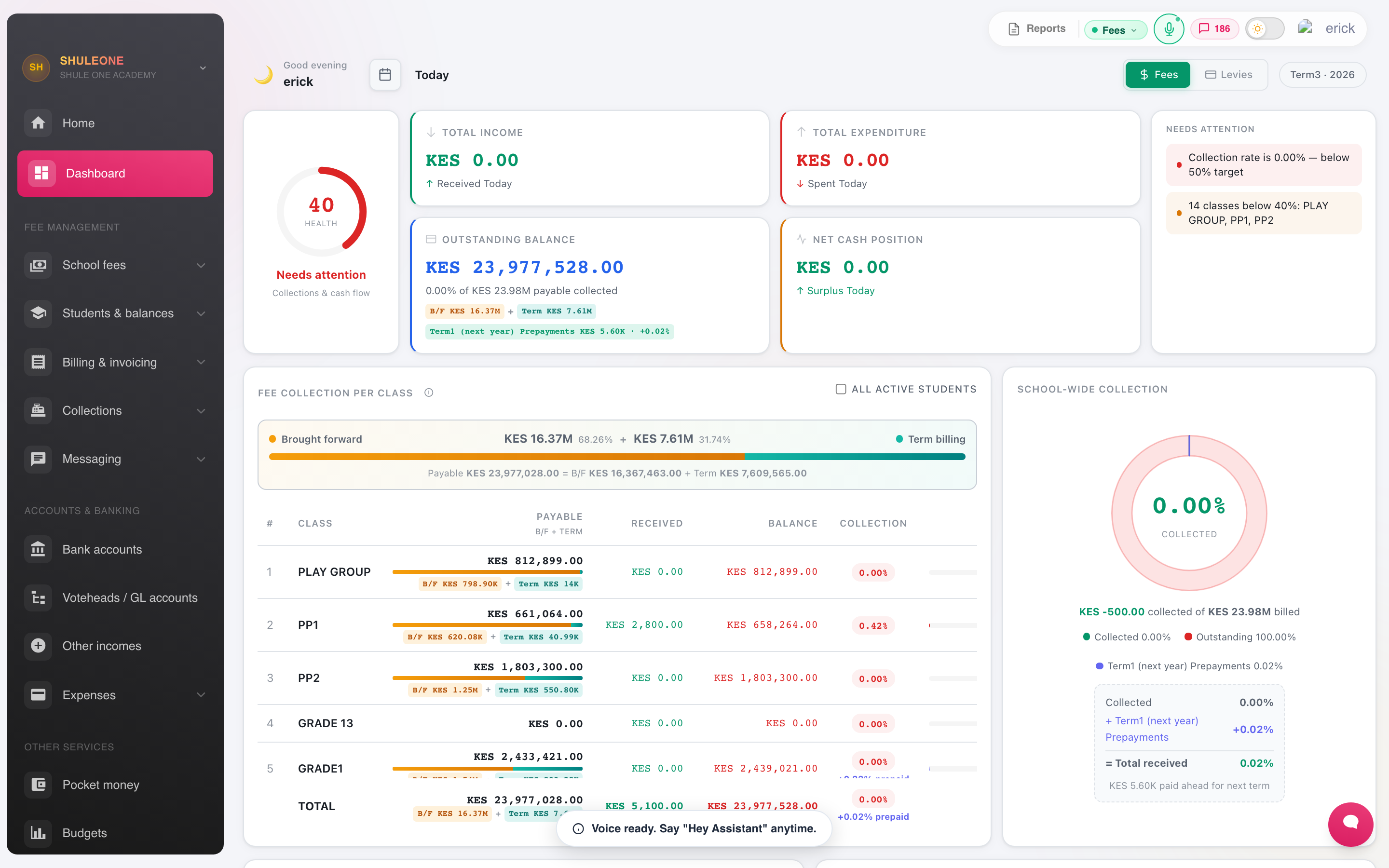
The dashboard combines billing, collection, balance and cash-flow summaries.
The order fees work in
Section titled “The order fees work in”Each step depends on the one before it. Skipping ahead is the usual cause of a billing run that produces nothing.
- Voteheads — the individual charges: tuition, boarding, transport, lunch, activity.
- Fee structure — how much each class pays under each votehead, per term.
- Billing — apply the structure to students. This creates the invoices.
- Receipting — record payments against invoices.
- Balances — what is left, and chasing it.
The screens
Section titled “The screens”| Screen | Purpose |
|---|---|
| Approvals | One inbox for every Finance request waiting for a decision |
| Fee Structures | What each class pays, per votehead, per term |
| Student Billing | Apply a structure to students; bill a term |
| Individual Billing | A charge or waiver for one student |
| Bill by Excel | Bulk billing from a spreadsheet |
| Receipts / Fee Payments | Record and print receipts |
| Group Receipts | One payment covering several students |
| Balances | Outstanding fees, by student and by class |
| Balance / Invoice / Receipt Notifications | Send statements and reminders |
| Fee Reminders | Scheduled chasing |
| Refunds | Return money to a payer |
| Lending | Borrow for school projects and track parent fee-financing applications |
| Other Incomes | Money in that is not fees |
| Payment Vouchers | Money out |
| Petty Cash | The small-cash float |
| Chart of Accounts / Account Groups | The ledger structure |
| Manual Journal | Direct ledger postings |
| Bank Accounts / Bank Reconciliation | Bank setup and matching |
| Budgets | Budget against actual |
| Financial Reports | Cashbook, income and expenditure, statements |
| Audit Trail | Who did what |
| Year End Close | Close the financial year |
The Lending screen appears when the current school is enabled. Authorised finance administrators use School borrowing to apply for school project loans, authorise borrowing, accept contracts, confirm bank credit and reconcile repayments. The Parent fee financing tab remains a reconciliation view of parent applications restricted to learner fees. Employee personal loans stay in HR. Schools authorise their own borrowing; independent lenders decide credit. Parent fee receipts are recorded only after real funds arrive; school loan proceeds post to a borrowing liability instead. See lending and school borrowing.
Approvals inbox
Section titled “Approvals inbox”Go to Finance → Approvals to review Finance requests from one place. The number beside the menu item is the current pending total. The inbox groups refund approvals, receipt and refund reversals, student-collection reversals, individual-billing changes, older bill-void requests, payment-voucher reversals, other-income reversals, pocket-money voids and submitted budgets.
Each row shows the amount, source reference, learner or payee, reason and the audit details available from the original workflow. Select Open source when you need the full receipt, invoice, voucher or budget context. A permitted checker can also Approve or Reject directly in the inbox. Billing-change rejections require a written reason; a rejected budget returns to draft.
Approval permissions remain separate. For example, Cross receipts sees and decides receipt reversals, while Approve refunds sees and decides refund requests. Finance admins see all Finance queues. ShuleOne does not turn access to one kind of approval into visibility or authority over every financial workflow.
Finance is protected
Section titled “Finance is protected”Finance screens sit behind an extra check. Depending on how your school is configured you may be asked for a one-time code when you open the module, even though you are already signed in. That is expected — see Signing in.
Nothing financial is deleted
Section titled “Nothing financial is deleted”Receipts, invoices and journals cannot be deleted, only reversed. A reversal leaves the original transaction and the correction both visible, which is what an audit requires. This is not an inconvenience to work around: if you find yourself wanting to delete a receipt, the correct action is a reversal, and it takes the same amount of time.
Who should have access
Section titled “Who should have access”The finance role reaches the school’s money. Give it to the bursar and accountant, not to everyone in the office, and review the audit trail periodically. Receipting can be given on its own to front-desk staff without opening the ledger to them.