
Support staff and board members
Support staff
Section titled “Support staff”Non-teaching staff — office, kitchen, grounds, security, matrons, drivers, IT — are registered under Registration → Staff.
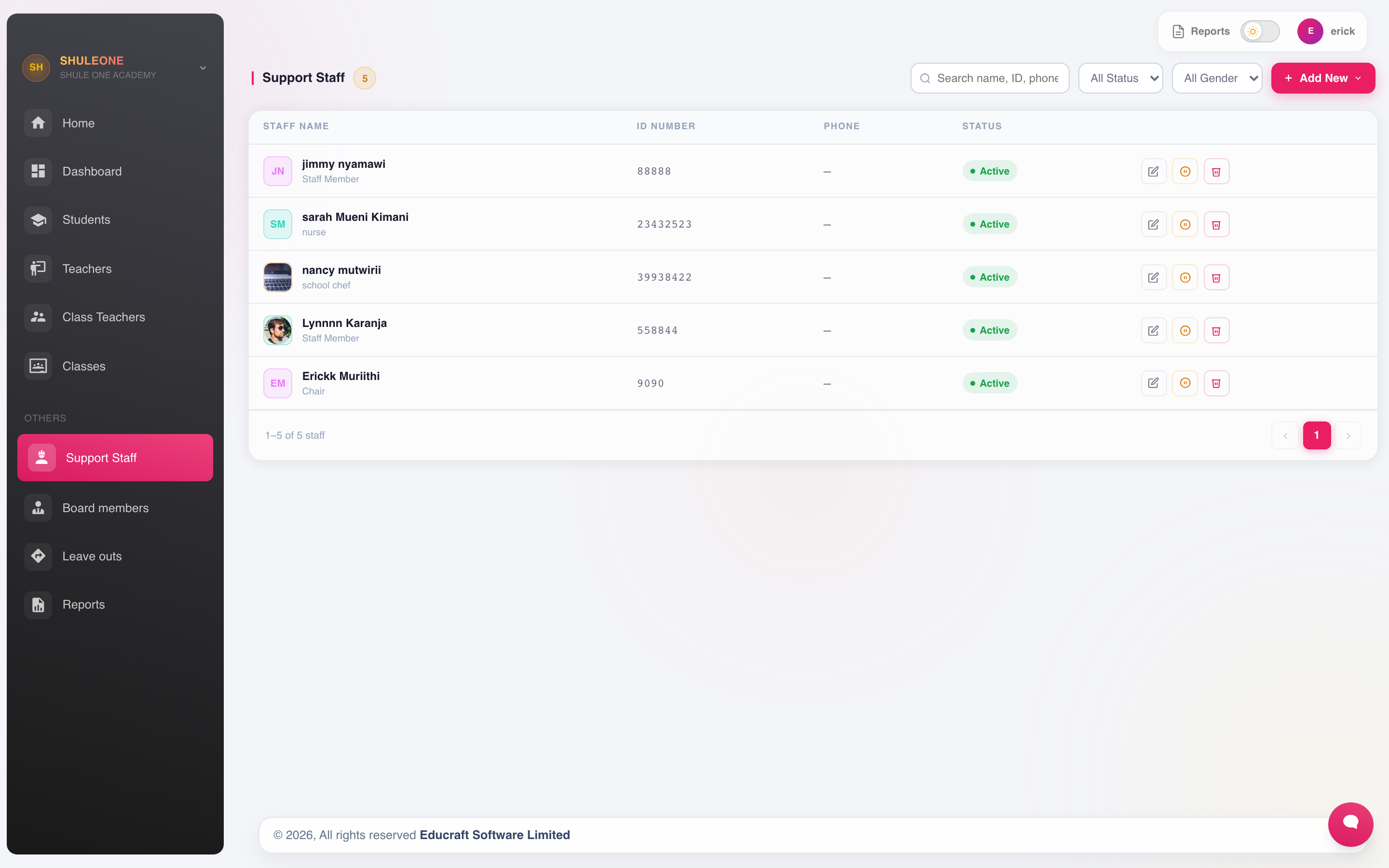
The current support-staff list.
Select Add New and record:
- Name, staff number, gender and date of birth. National ID is optional, but enter it when it is known.
- Telephone and email.
- Department and job title.
- Date of employment and employment type.
The department is the field that earns its keep here: it is what HR staffing reports and department consumption group by.
Saving support staff also creates a pending employee in HR, or links the registration to an existing employee when identity can be established safely. A phone number is never accepted as proof on its own. An ID match must have a compatible name; a phone match must have a strong name match.
If a name looks the same or contains a likely typo but the other details do not prove the match, ShuleOne displays Possible Existing Employee. Compare the masked ID and phone endings, then either:
- Select Link this employee when both records are the same person. Existing HR and payroll details are not replaced.
- Select Create separately only for a genuinely different person, and record the reason. The reason is retained in the HR audit trail.
If a candidate says Already linked, open and correct the existing Admissions record instead of registering that person again.
Staff and drivers
Section titled “Staff and drivers”Drivers registered here can be attached to vehicles in the transport module and given access to the driver console. Register the driver as staff first; the transport module picks them up from this list.
A staff record is linked to the driver’s transport record when the staff member’s department has the Transport module switched on in departments. If Transport already has a record for the person — the same name with the same phone number, whether written 07… or 2547…, or the same ID number — ShuleOne links that record instead of creating a second one. The link matters for pay: a driver or assistant then sees payslips and loans in the Driver Console login they already use, instead of a separate payroll login.
Moving staff between branches
Section titled “Moving staff between branches”For schools linked in the same school group, such as the Lakewood branches, an active staff row has a Move branch action. It appears only when your account can open at least one sister branch.
- Select Move branch beside the staff member.
- Choose the receiving branch and one of that branch’s active departments.
- Add a reason if the school needs it for its audit trail, then confirm.
ShuleOne creates a new active staff identity and biometric number at the receiving branch. The old branch record becomes inactive rather than being overwritten, so its attendance, library, inventory and other historical activity remains attributable to the correct branch. A national ID already used by staff at the receiving branch blocks the move instead of creating a duplicate.
If the staff member is assigned to an active transport route, remove that assignment first. After moving a driver, review their destination transport profile and driver-console access. This action moves the Registration identity only. If the person is also paid through HR, use Transfer branch in HR so payroll membership moves while each branch’s HR history remains intact.
Importing support staff
Section titled “Importing support staff”Use Add → Download import excel for the current template, then Import from excel to upload the completed workbook. National ID is optional in the workbook too; leave it blank rather than entering a placeholder or guessed number. The result tabs separate Added, Linked, Skipped and Failed rows.
- Linked means a compatible name plus a reliable matching identifier belongs to an existing HR employee. Existing HR details are not overwritten.
- Skipped means the staff member is already registered or already linked. The result
names the existing staff member and position, and may show a meaningful HR staff
number such as
EMP-127; it never shows an internal table ID. - Failed means the source row must be corrected. This includes possible name or typo matches that need a person to decide; imports never guess between candidates.
For correctable failures, ShuleOne automatically downloads a new Excel workbook that contains the original row values and a Failure Reason column. If the browser blocks the download, select Download Excel in the result. Skipped existing staff are not in this workbook because no correction is required.
Use the result tabs to concentrate on one outcome, or open Import history to review earlier workbooks and their row-level results. Where Roll back is available, it removes Admissions staff created by that import and restores existing HR links. An HR employee created by the same import is also removed when the profile is still pending, unchanged and unused. If it has since been approved, edited, or used by payroll, attendance, leave, transport or another HR workflow, ShuleOne keeps the HR employee and only removes the import-created Admissions link. The rollback result reports the number of HR employees removed and retained.
Staff and payroll
Section titled “Staff and payroll”As with teachers, a support-staff record is the registration record. ShuleOne creates or links its employee record in HR during registration. A new employee remains pending until HR approves it, so registration alone does not add the person to payroll. Names, phone numbers and national IDs should still be entered as accurately as possible; leaving the optional ID blank is safer than entering a guess.
What’s new - 2 October 2026
Section titled “What’s new - 2 October 2026”Multi-branch school groups can now move active support staff directly to an accessible sister branch. The receiving branch gets a fresh staff and biometric identity, while the original record is retained as inactive for historical reporting.
What’s new - 31 August 2026
Section titled “What’s new - 31 August 2026”Support-staff registration now checks existing HR names, including likely spelling errors, before creating a payroll employee. Ambiguous matches must be linked or created separately with a reason. Phone numbers no longer match people on their own, and the national ID field is now optional.
Board members
Section titled “Board members”Board of management members are recorded under Registration → Board.
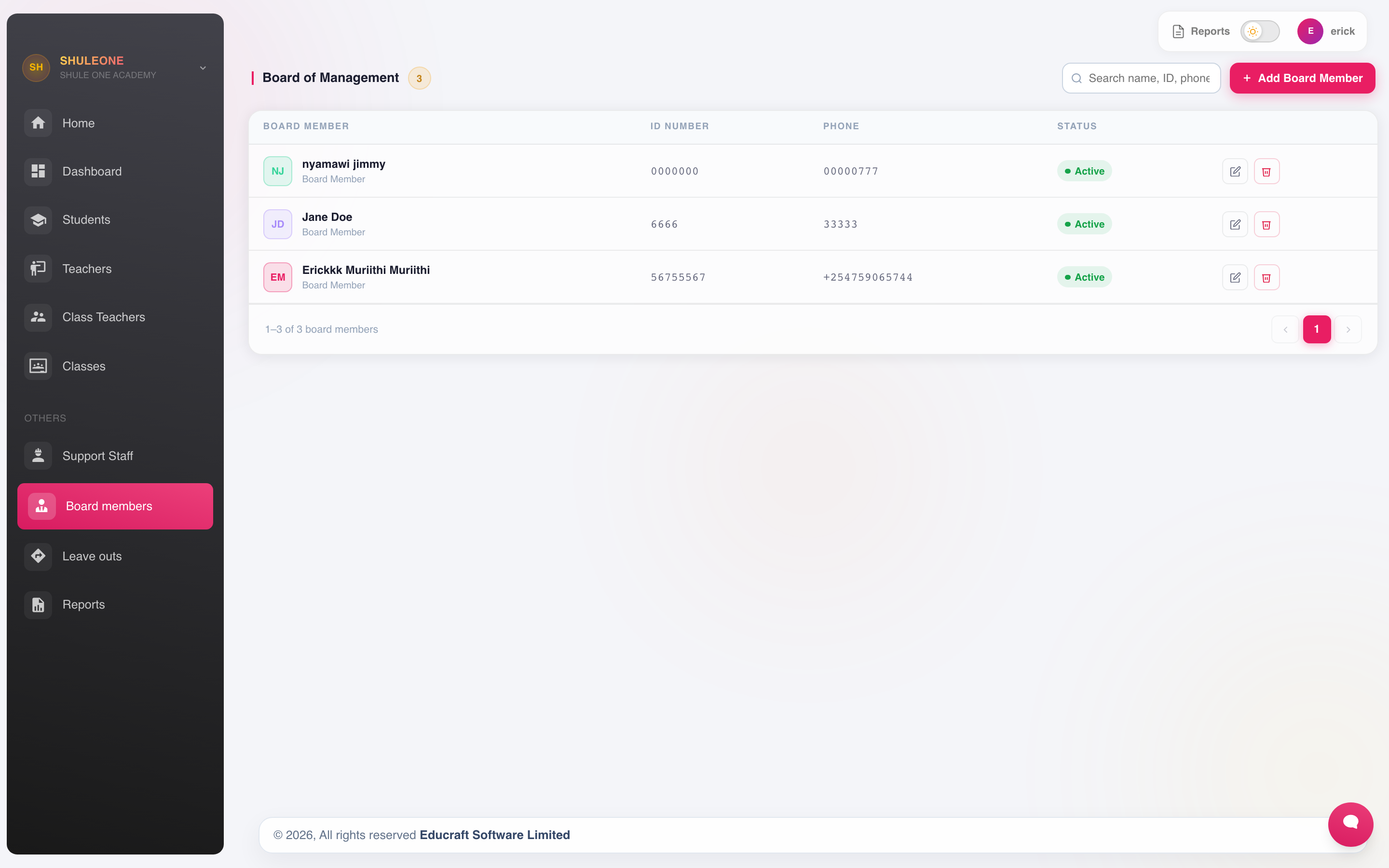
The current board-member list and appointment status.
Board records hold the member’s name, role on the board, contact details and the term of their appointment. They are used for:
- The board list printed for meetings and returns.
- Circulating notices and newsletters to the board through Communication.
Board members are not staff. They do not appear on registers, payroll or timetables, and creating them as staff to “keep everyone in one list” causes problems in HR reports later.
Editing records
Section titled “Editing records”Any record here can be opened and edited from its list.
As everywhere in ShuleOne, deactivate people who leave rather than deleting them, so the documents they created keep their author.