
For teachers
A teacher touches three parts of ShuleOne, and it helps to know which is which.
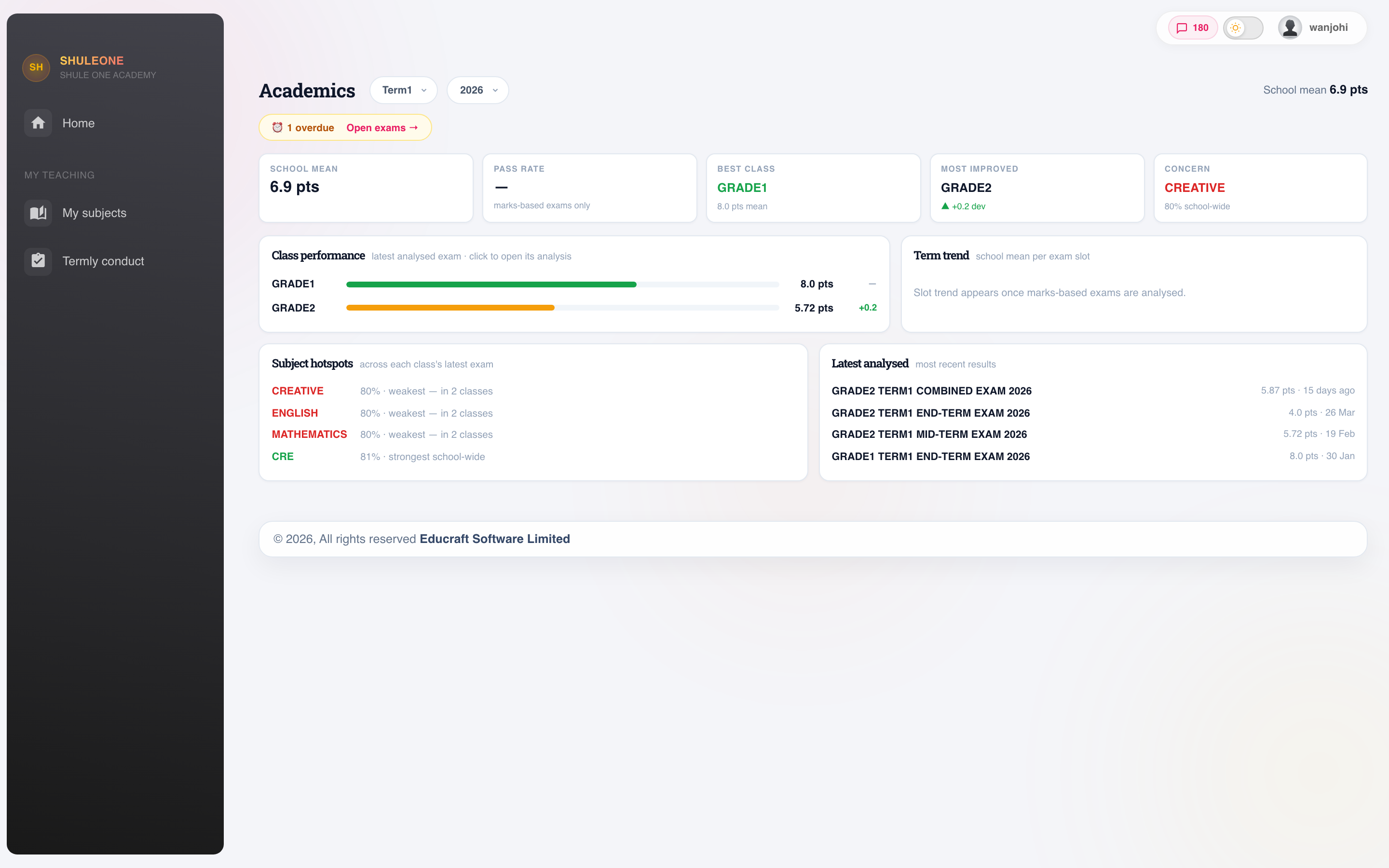
The teacher dashboard shows academic performance, assigned classes and recent exam activity.
| You want to | Go to |
|---|---|
| Mark a register, enter marks, see your classes | The management system at app.shuleone.co.ke |
| Set assignments, publish notes, run a live class | E-learning, in the same place |
| See learner progress, mark projects, run coding | The portal at portal.shuleone.co.ke |
| Mark absentees or check your payslip from your phone | |
| Run school admin from a phone | ShuleOne Admin on Google Play or the App Store |
Your account is the one the school created when you were registered. If a screen you expect is missing, it is a role permission — ask the administrator, not support.
The termly rhythm
Section titled “The termly rhythm”Start of term
- Check your classes and subjects are right. A wrong allocation now becomes a wrong mark sheet in week eight.
- Check your timetable and report a clash immediately — the office can still fix it in week one.
- Put your assessment dates in the diary.
Every day
- Mark the register, in the lesson, not later.
Through the term
- Publish notes as you teach, not at the end.
- Set and mark assignments.
- Keep an eye on portal progress for the students who have gone quiet.
Assessment
- Enter marks as soon as you have them.
- Check the analysis before the meeting about it.
- Write comments that name something specific.
Attendance
Section titled “Attendance”Mark it in the lesson. A register filled in at the end of the day from memory is guesswork, and it feeds an SMS to a parent saying their child was absent.
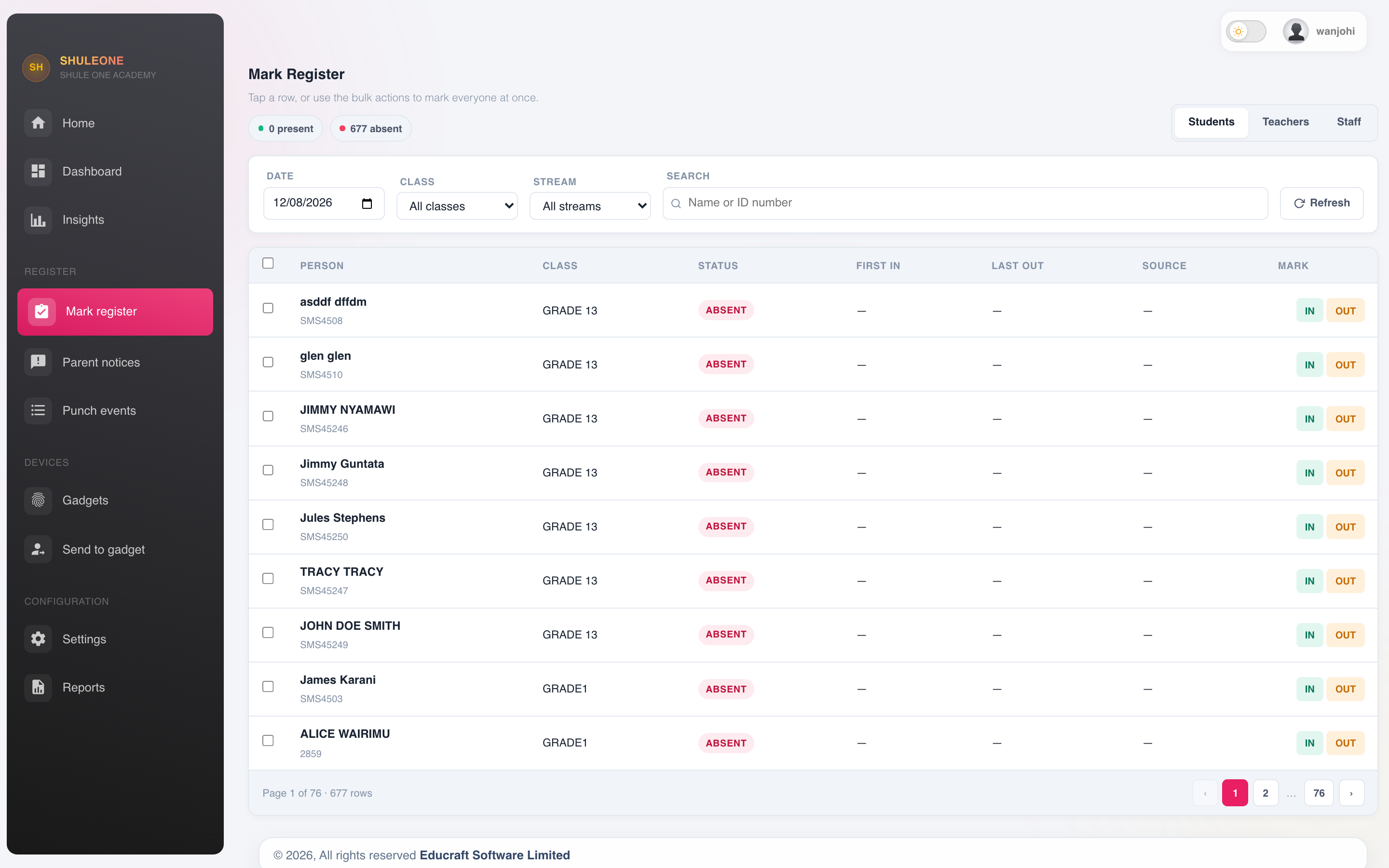
Choose the date, class and stream, then mark the learners shown in the register.
The full detail is in Attendance.
Entering marks has its own page. The short version: enter them promptly, check them before submitting, and expect them to be locked afterwards.
Setting work
Section titled “Setting work”Assignments are set per class and subject, and are only visible to students once activated — build the paper first, activate when it is ready.
Quizzes are quicker and mark themselves. Use them often; the per-question breakdown tells you what to reteach.
Communication
Section titled “Communication”Messages to parents go through the school’s channels so there is a record. Use a direct message rather than your personal phone — it protects you as much as the parent.
Contact parents about a problem early. A message in week three about work not being submitted is a small conversation. The same message in week ten is a difficult one.
The one habit worth having
Section titled “The one habit worth having”Enter things when they happen. Registers in the lesson, marks when they are marked, notes when they are taught.
Everything unpleasant about a school management system — the mark sheet that will not submit, the register locked for editing, the report card blocked the night before it is due — comes from doing it later.