
HR overview
HR covers everyone the school pays: employee records, payroll, statutory deductions, leave, loans and welfare.
Go to HR → Dashboard.
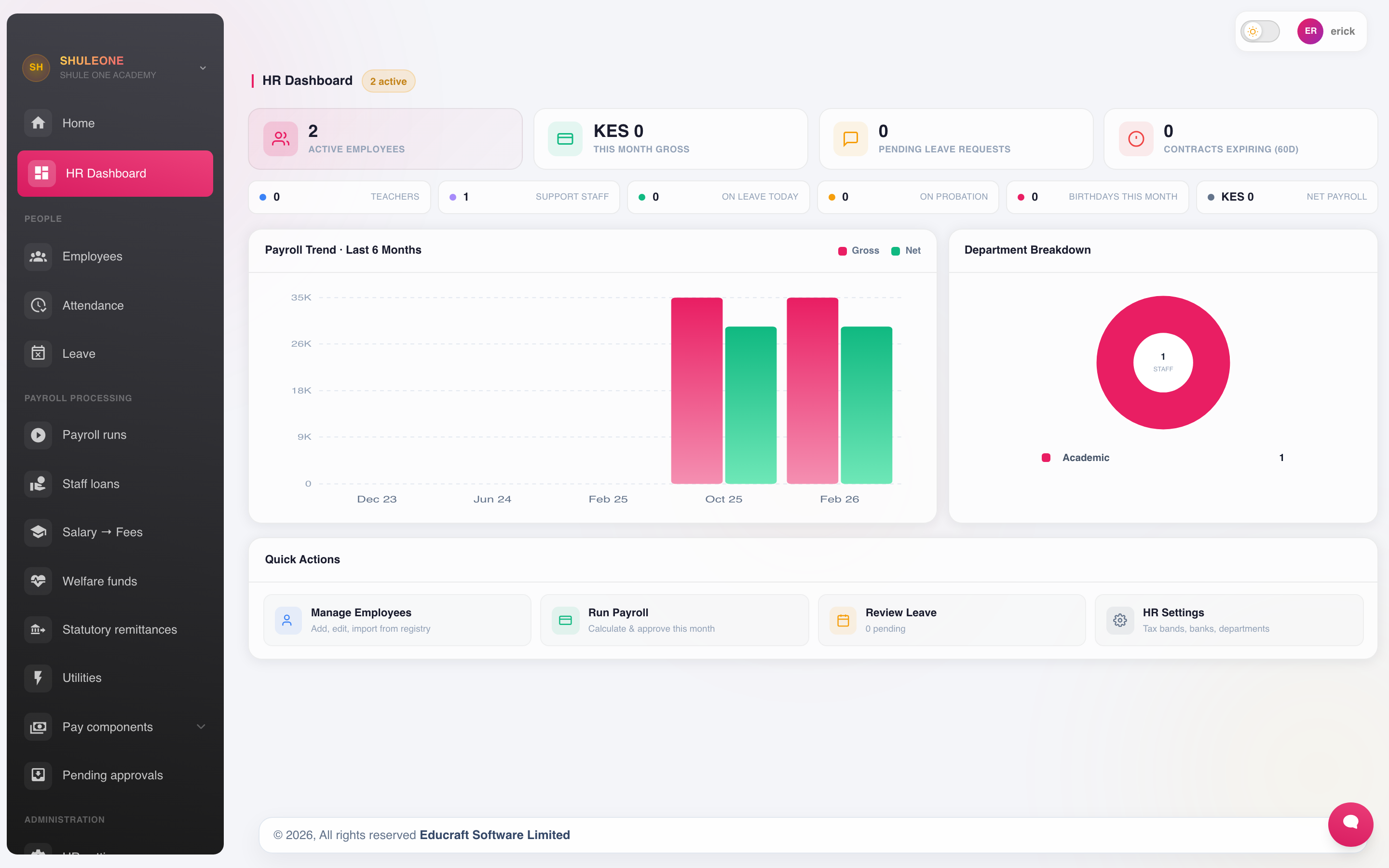
Payroll trends, department distribution, attendance alerts and quick actions in one view.
Staff profile
Section titled “Staff profile”The Staff profile panel on the dashboard counts current staff: everyone active, on probation, on leave or suspended. People who resigned, retired, were terminated or moved to another branch are not counted. New employees still waiting for approval are counted.
- Headcount — current staff, split into teachers and support & other staff. Support & other staff includes employees added in HR only (not from the registry).
- Gender — male, female, other and not recorded. “M” and “F” count as male and female.
- Age — 18–35, 36–50, over 50 and not recorded, from each person’s date of birth. Ages are in completed years, so someone who turns 36 today is counted in 36–50. An “Under 18” row appears only if someone is under 18. A date of birth before 1900 counts as not recorded.
Use All staff, Teachers or Support & other at the top of the panel to switch the figures between groups.
Filling in missing details
Section titled “Filling in missing details”Select a Not recorded row to see who is missing a gender or date of birth. To fix them:
- One at a time: open the employee in Employees and fill in the gender or date of birth.
- Everyone at once: export the list to Excel, fill in the Gender and Date of Birth columns and import the file again. See Importing from Excel.
What’s new — 9 November 2026: the dashboard now has the Staff profile panel, with headcount, gender and age bands for teachers and support & other staff, and a list of staff whose gender or date of birth is not recorded. The Teachers and Support & other counts on the dashboard now leave out people who have left; before, they included them.
Setting payroll up
Section titled “Setting payroll up”Do this in order. Payroll will not produce a correct payslip until all of it is in place.
- Departments — staff belong to one.
- Employees — the people, with their pay details.
- Earnings — basic pay, house allowance, responsibility allowance, and anything else added to gross.
- Deductions — the school’s own deductions: welfare, sacco, advances.
- Statutory rates — PAYE, NSSF, SHIF and the housing levy.
- HR settings — pay period, payslip layout, approval route.
Then run the first payroll in parallel with your existing process for one month and compare, employee by employee, before switching over. Nobody regrets doing this; several schools have regretted not doing it.
The screens
Section titled “The screens”| Screen | Purpose |
|---|---|
| Employees | The staff register with pay details |
| Payroll | Create, review and approve monthly runs |
| Payslips | Individual payslips |
| Statutory Remittances | PAYE, NSSF, SHIF and levy returns |
| Earnings | Earning types |
| Deductions | Deduction types |
| Leave | Applications, approvals, balances |
| Loans | Staff loans and repayment schedules |
| Fee Deductions | Staff school fees recovered from salary |
| Welfare | Staff welfare contributions and claims |
| Attendance | Staff attendance feeding HR |
| Approvals | The approval queue |
| Utilities | Bulk corrections and maintenance |
| Settings | Pay periods, payslips, approval routes |
HR and Registration
Section titled “HR and Registration”Teachers and support staff exist in two places, and the distinction confuses people:
- Registration holds the academic and operational record — subjects, classes, department, timetable allocation.
- HR holds the employment record — contract, salary, deductions, leave.
Both are needed for a member of staff who teaches and is paid. Use the same staff number on both so they can be matched in reports.
Access
Section titled “Access”HR sees salaries. Restrict the role tightly — usually the HR officer, the accountant and the head — and use the audit trail to review changes to pay details.