
Other income, refunds and payments out
Other income
Section titled “Other income”Money the school receives that is not school fees — hall hire, farm sales, donations, uniform sales, bus hire — goes through Finance → Other Incomes.
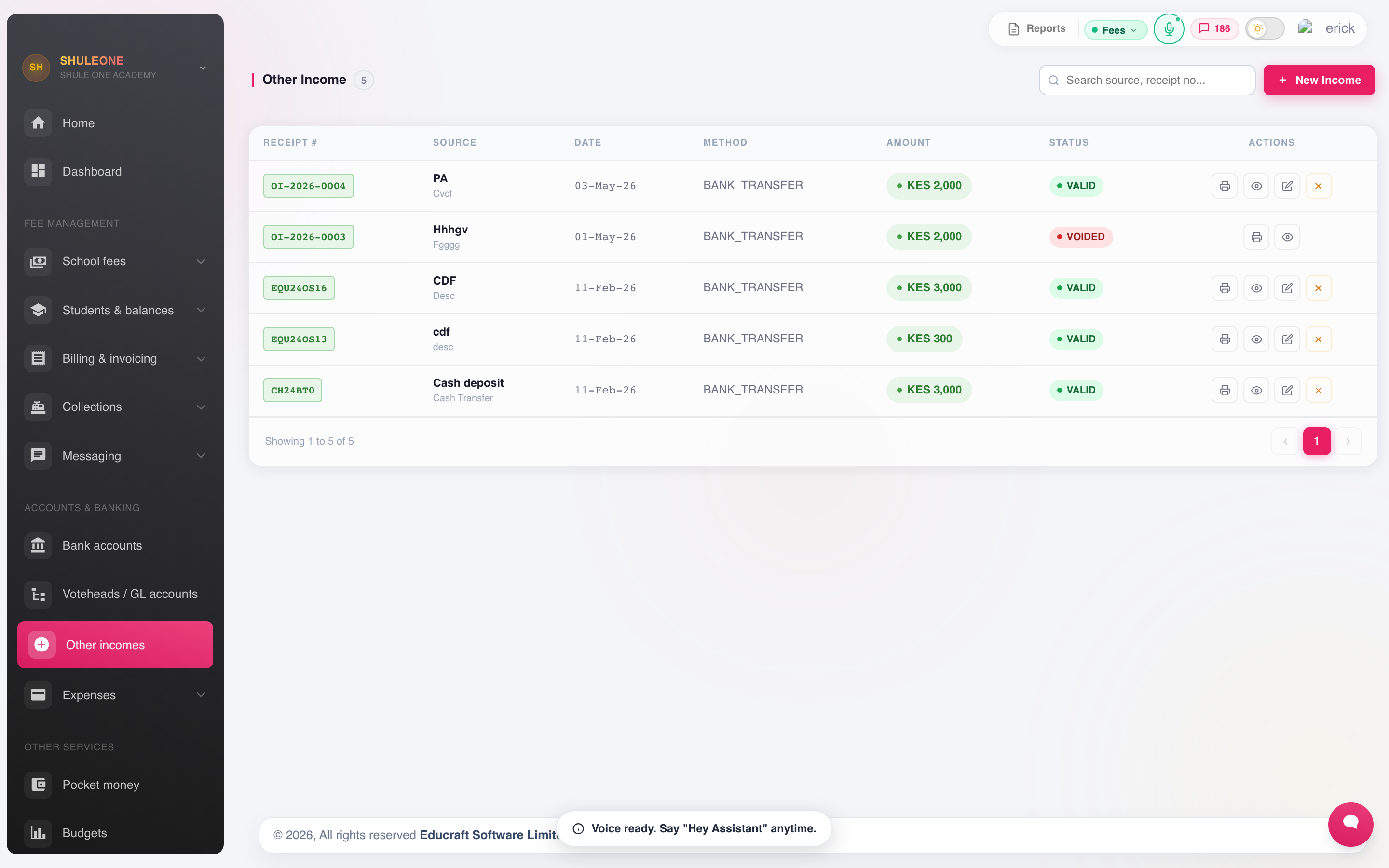
Other income is listed with its date, payer, category, amount and payment method.
Record the payer, the amount, the method and reference, and the account it belongs to. The account is what puts it in the right line of the income and expenditure statement; income posted to a vague “other” account tells the board nothing.
Choose the receiving Cash or Bank account in Deposit account, then choose the purpose of the receipt in Income category allocations. The deposit account cannot also be an income category. For older receipts that used Cash or Bank as a category, review the Excluded from income notice in Income per Vote Head and correct the receipt category after checking the source record.
Assign View other incomes when someone should search, inspect and print these receipts without recording, editing or reversing them. Access other incomes is the operational role for recording and editing income and requesting a reversal; approval remains with a finance administrator.
Editing a receipt
Section titled “Editing a receipt”Editing an unreconciled receipt updates its date, receiving bank/cash account, amount and income allocations in the journals in the same transaction. The cash book, general ledger and bank reconciliation therefore use the updated details. Changing the date can move the receipt into a different reconciliation period. An edit affecting a closed financial year is blocked until the year is reopened.
Receipts already matched or manually ticked off in bank reconciliation cannot be edited. Have the finance administrator review and unmatch the receipt in its reconciliation first, make the correction, then verify and match it again. Do not unmatch an entry just to force a change to an already finalised reconciliation.
What’s new — 4 September 2026
Section titled “What’s new — 4 September 2026”The backend update keeps Other Income journals in sync when receipts are edited. Previously, the receipt could show a corrected date while its journals retained the old date. Deploy the updated backend; no frontend update or schema migration is needed for this fix. Existing mismatches need a separate verified correction—deploying the update does not automatically rewrite historical receipts or reconciliation links.
Refunds
Section titled “Refunds”A refund returns money to a payer — usually an overpayment, or a student who has left with a credit balance.
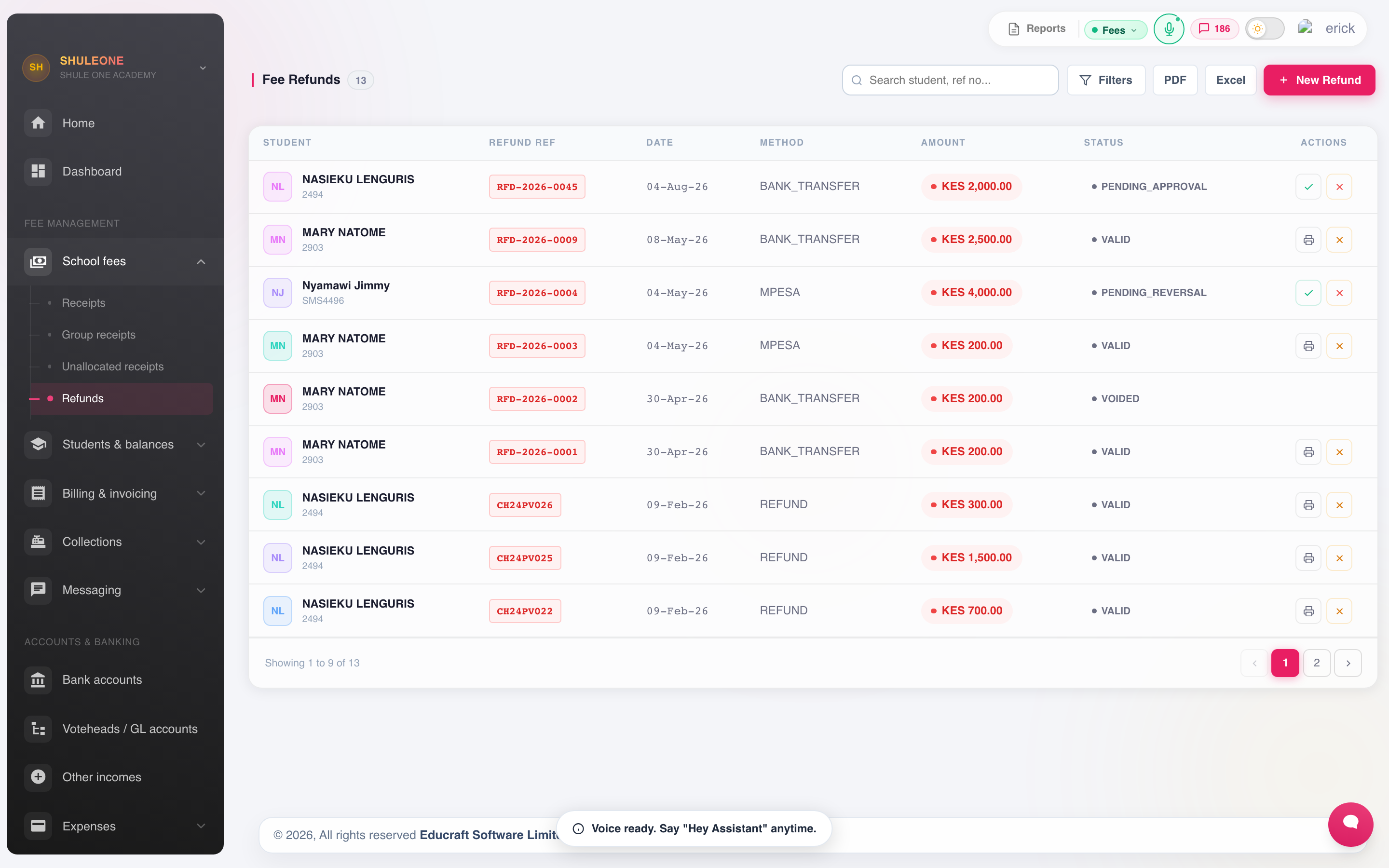
Refunds show the student, reason, amount, method and approval status.
Record who is being paid, how much, which votehead the credit sits under, and the authority for the refund. A refund reduces the student’s credit and posts to the ledger, so it must be approved before it is raised — the screen is not the approval.
Payment vouchers
Section titled “Payment vouchers”Money going out of the school — suppliers, casual labour, utilities, reimbursements — is raised as a payment voucher under Finance → Payment Vouchers.
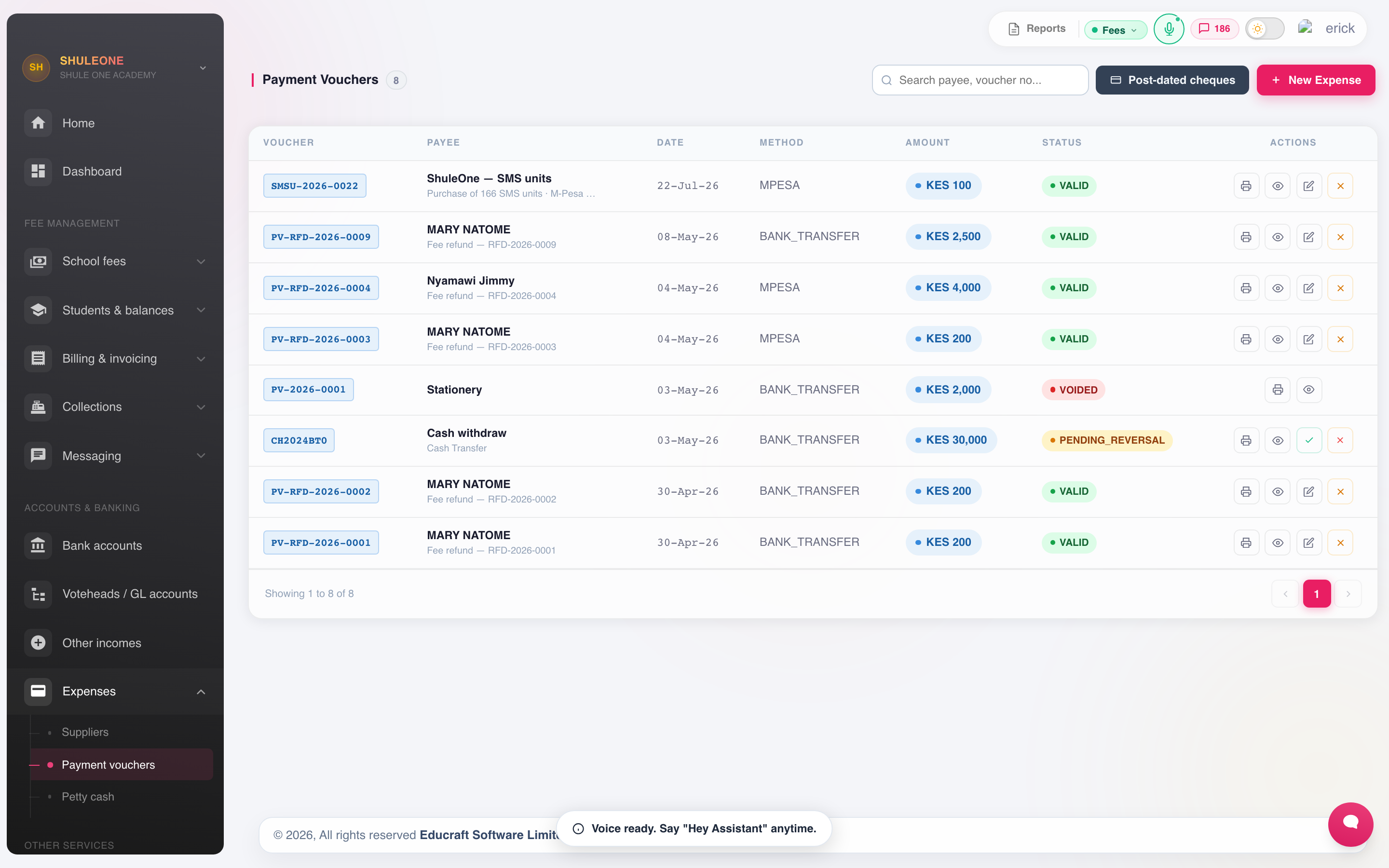
Payment vouchers include the payee, account, amount, workflow and payment status.
A voucher records the payee, amount, the account being charged, the reason and the supporting document. It follows the school’s approval route before payment, and posts to the ledger when paid.
Vouchers arising from purchase orders and supplier bills come through the inventory module rather than being raised here, so the goods received and the payment stay connected.
Staff with View expenses and suppliers can inspect and print payment vouchers and the connected supplier records without creating expenses, paying suppliers, editing vendors, processing cheque actions or requesting reversals. Access expenses is the operational role for creating and editing ordinary expense vouchers.
Post-dated cheques and automatic clearing
Section titled “Post-dated cheques and automatic clearing”For a cheque payable later, enter its Maturity date when recording the payment. Until clearing, ShuleOne holds the payment in Post-Dated Cheques Payable, not as cash already paid from the bank.
A finance administrator can enable Finance → Settings → Automatic cheque clearing:
- Review pending cheques, especially overdue ones, in Payment Vouchers → Post-dated cheques and Suppliers → Payments.
- Turn on Automatically clear at maturity and select Save cheque setting.
- Confirm that overdue pending cheques should also be processed.
This setting is off by default and applies only to your school. Once enabled, the system checks every five minutes using Nairobi time. Valid pending expense cheques, supplier bill payments and supplier advances clear on their maturity date. If a check is missed, the next run catches up using the maturity date. Supplier cheque allocations and associated surplus credit are handled together; cleared surplus becomes available supplier credit. Failed postings stay pending for retry, without duplicating successful postings. Voided, bounced, expired and pending-reversal expense vouchers do not clear.
Manual Clear remains available. Select the actual clearing date, between maturity and today. A cheque that matured on the 1st but is manually cleared with today’s date appears in Payments out for today and this week, not on its original issue date.
Clearing posts a journal debit to Post-Dated Cheques Payable and a credit to Bank. It does not create a second expense: the expense or supplier bill was already recorded. Payment Vouchers shows the existing payment with its clearing date and cheque status; supplier advances appear as separate read-only advance rows. The cash book and journals show the bank posting. An approved reversal of a cleared expense voucher reverses both its original posting and its clearing posting.
Petty cash
Section titled “Petty cash”Finance → Petty Cash manages the small-cash float on an imprest basis: the float is set at a fixed amount, spending is recorded against it, and the float is topped back up to its original level by a payment voucher.
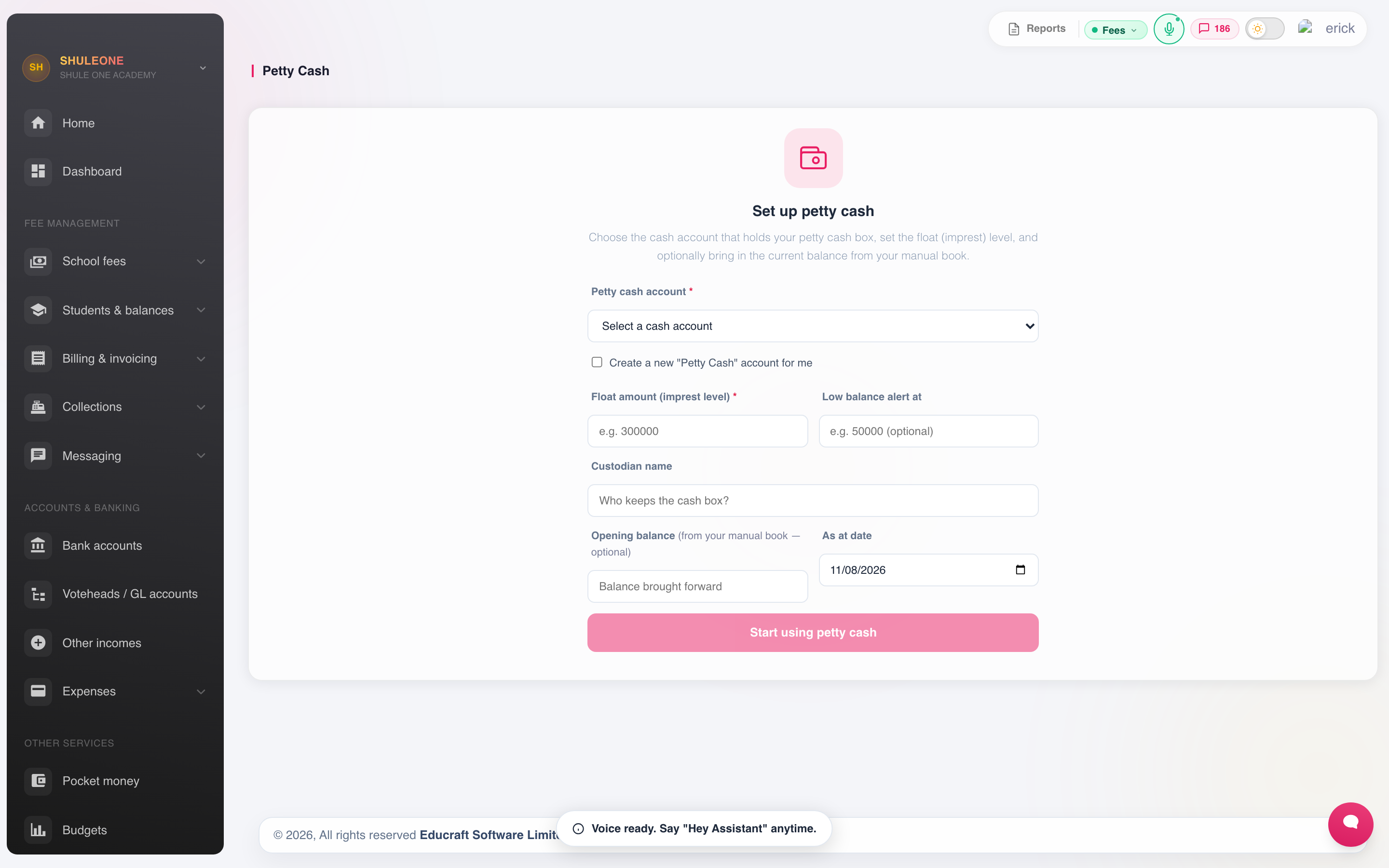
The petty-cash workspace guides the initial float setup before transactions can be recorded.
Record every disbursement as it happens, with a description and an account. Reconcile the float — cash in the tin plus vouchers held should equal the float — before each top-up, and never let it run as an unrecorded pot of money.
Pocket money
Section titled “Pocket money”Boarding schools holding pocket money for students use Finance → Pocket Money. It is a separate account per student: money deposited by parents, drawn down as the student spends, with a running balance.
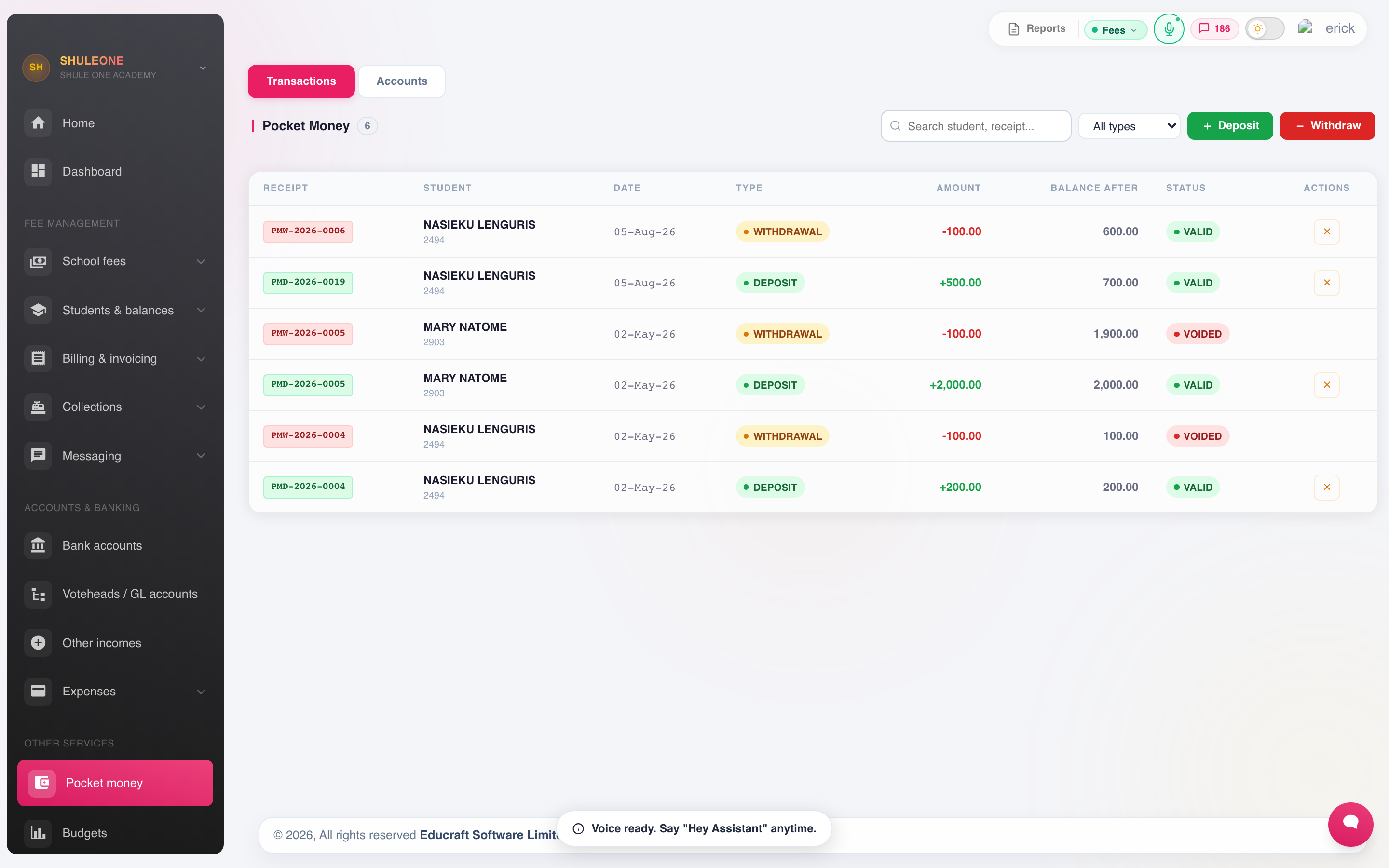
The pocket-money list shows each student’s deposits, withdrawals and balance.
This is the school holding money on behalf of a student, not school income. Keep it out of the fee account, issue a receipt on deposit as you would for fees, and refund the balance when the student leaves.