
Routes, service runs and students
Go to Transport → Dashboard.
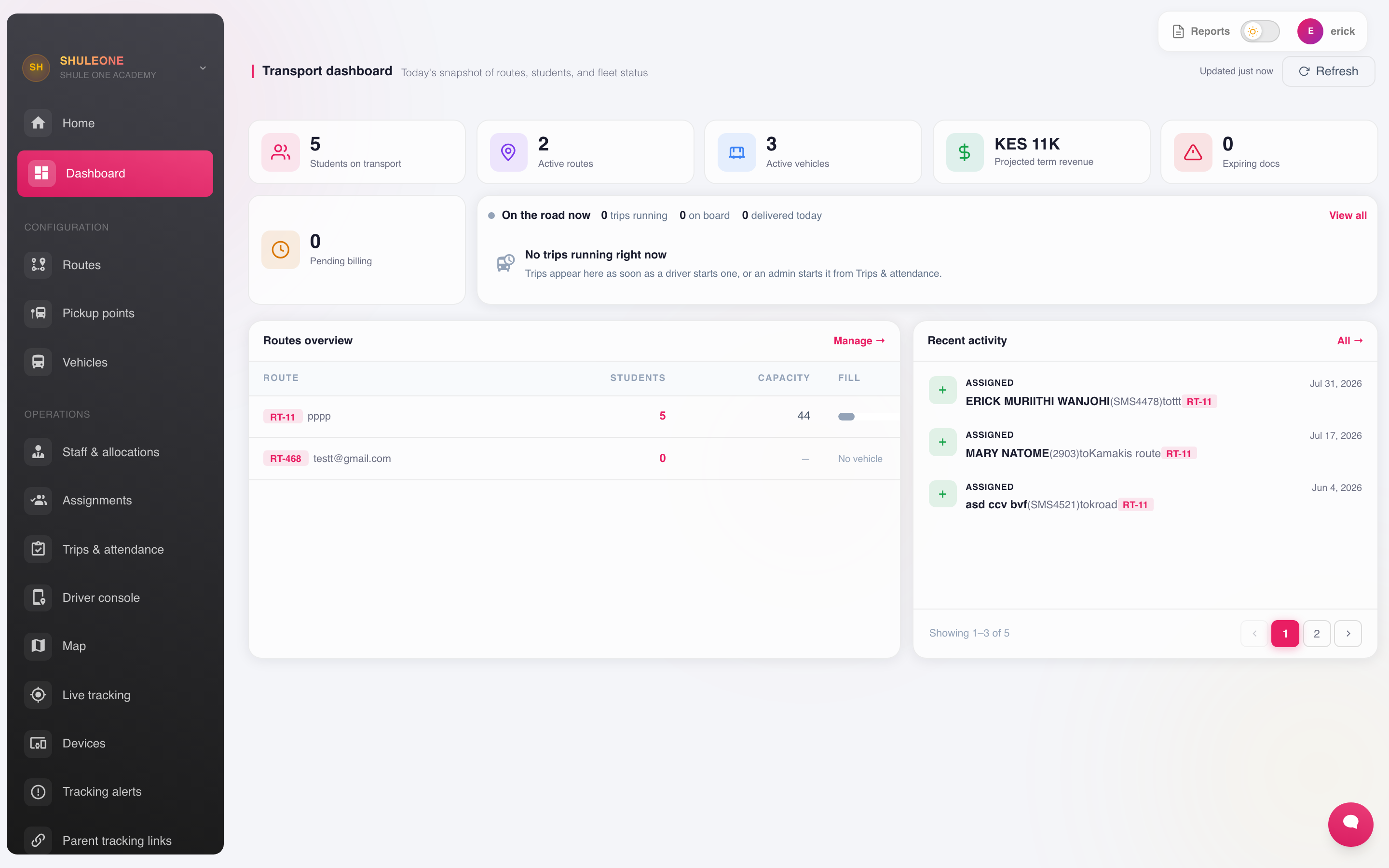
The dashboard combines route, vehicle, student and daily-operation summaries.
Transport in ShuleOne is branded ShuleTrack. It covers three connected things: the network (routes, stages, vehicles, drivers and matrons), the daily operation (trips), and tracking — parents following the vehicle live, boarding and drop-off alerts morning and evening, speed and off-route alerts to the office, and a trip history you can audit weeks later.
Transport fees are billed in the same ledger as everything else, through the transport votehead.
What’s new — 15 October 2026: removed locations leave the main lists
Section titled “What’s new — 15 October 2026: removed locations leave the main lists”The Pickup points and Routes pages show active entries. Deleting a location or route removes it from these lists. Unused pickup points are permanently deleted; points needed for past student assignments, charges or trip history are retained as inactive. Use Show inactive locations on Pickup points to include retained locations, and Hide inactive locations to return to active points. You can edit an inactive point to reactivate it. A location or route with current transport students cannot be deleted.
Route cards highlight the route name, stops, students, vehicle and term fare. Migration notes are kept in route details. Both lists adjust the number of entries to the available screen height and width, including when the window is resized.
When cleaning up unused locations, check both the student’s fare location and their morning/home pickup points. A location is unused only when no current transport student uses it for any of those purposes. Remove unused pickup points first, then retire any routes that have no current students. A service run can carry students from other fare routes, so check its actual student allocations before retiring related journey settings.
Routes
Section titled “Routes”Go to Transport → Routes.
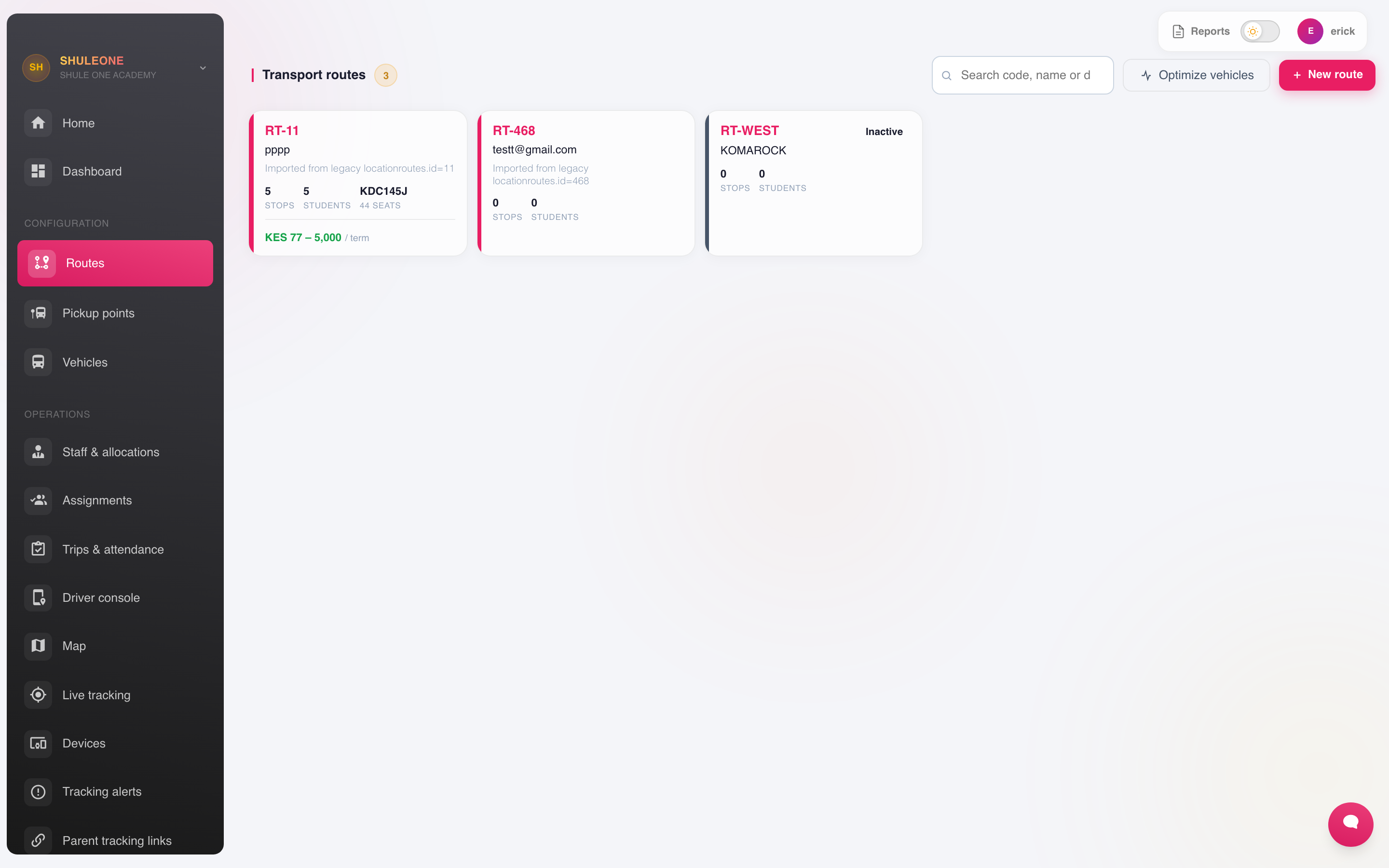
Routes show their type, pickup-point count, distance and active status.
Record the route name, the area it covers, and the pickup points in the order the bus serves them. A pickup point can also be selected as a student’s fare/location area; that billing choice is separate from the morning and home service runs that carry the learner. The fee links to a transport votehead.
Routes are billing geography, not bus loads. A service run can intentionally carry learners billed on several routes, so creating a run does not ask for a route or pickup location.
Name routes by where they go rather than by number. “Ngong Road” is understood by parents and drivers; “Route 3” requires a lookup.
Pickup points
Section titled “Pickup points”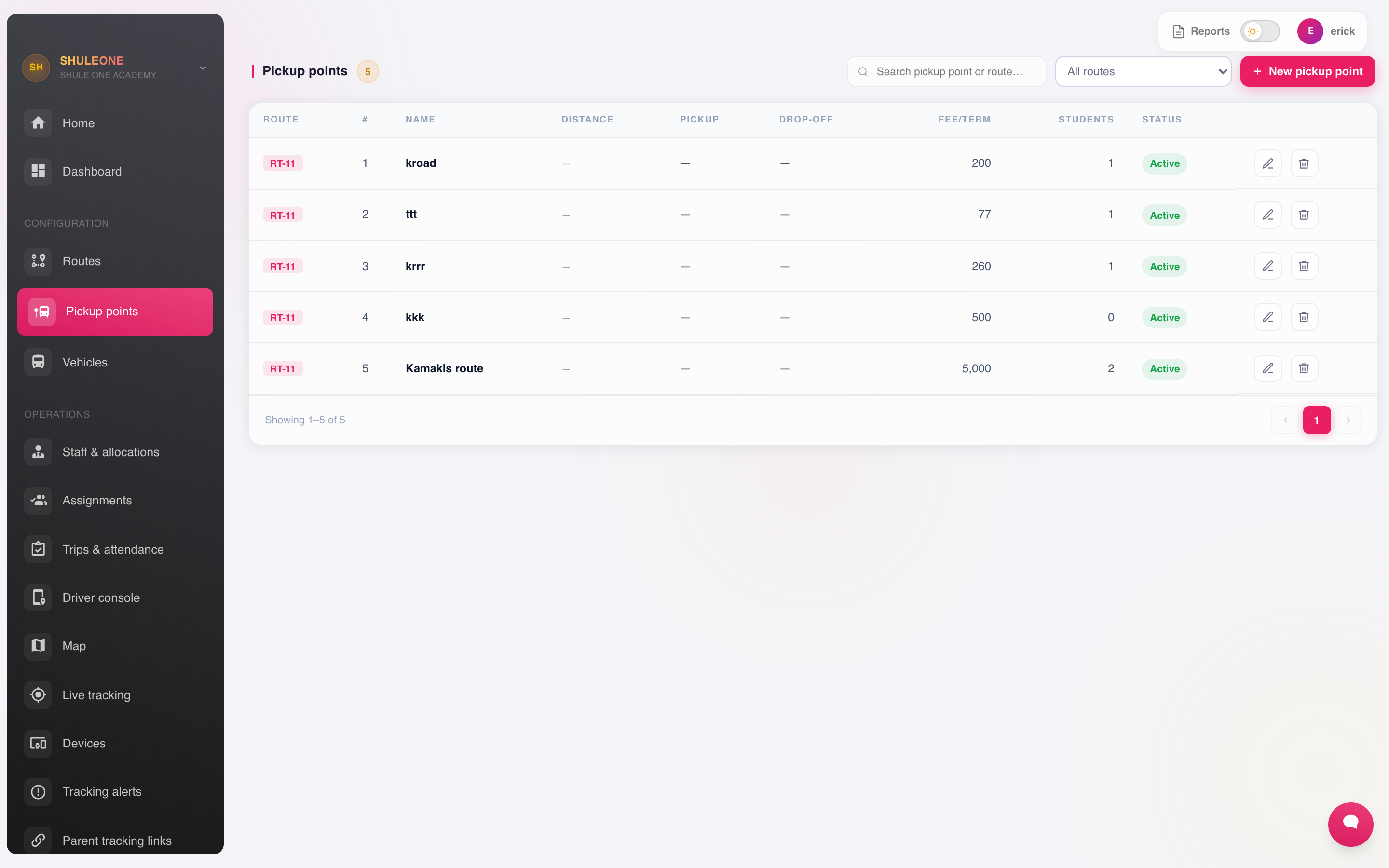
Pickup points include a code, route, sequence and current status.
Each point has a name, a location and a scheduled time, and belongs to a route in sequence. The sequence is what produces the timetable parents work from, so put the points in the order the vehicle actually drives them.
Set times that are achievable in traffic. A schedule nobody can keep is worse than a generous one, because parents stop trusting it and stop being ready.
Vehicles
Section titled “Vehicles”Transport → Vehicles holds the fleet: registration number, make, capacity, insurance and inspection expiry, and the assigned driver.
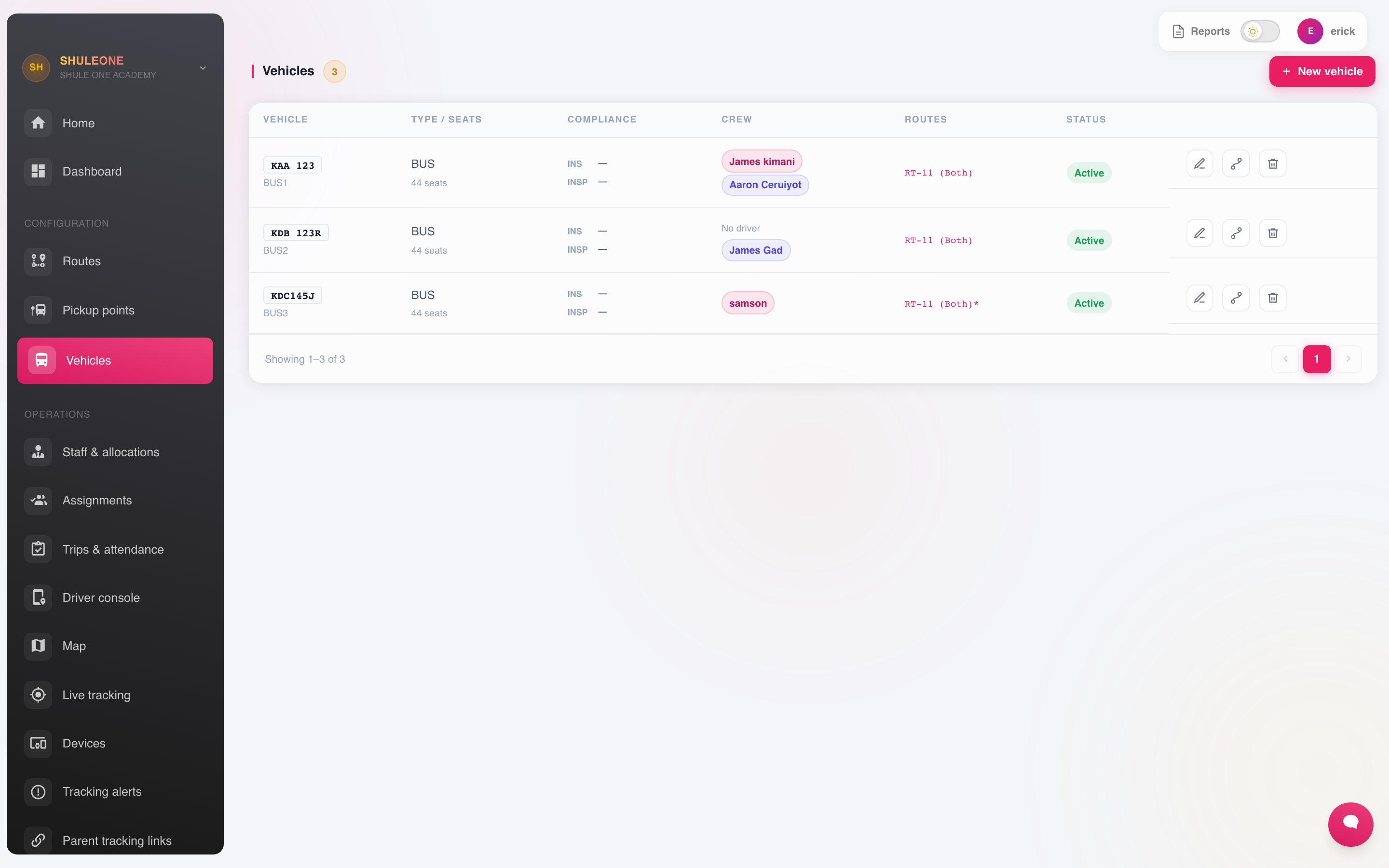
The vehicle list includes registration, capacity, ownership and status.
Use the search box to find a vehicle by registration, name, make, model, crew member, route, insurer or policy number. The filters can narrow the list by active status, vehicle type, insurance status, inspection status and insurance cover type. Expiring means the recorded expiry date is today or within the next 60 days; expired and unrecorded documents have their own filters. Use Sort to order the results by registration, document expiry, capacity or model year, and Clear filters to return to the full fleet.
Record insurance and inspection expiry dates and check them monthly. This is one of the few things in ShuleOne where an expired date has legal consequences.
Capacity matters — assignments are checked against the default bus on each service run, so one run cannot be over-subscribed without someone noticing.
Drivers
Section titled “Drivers”Drivers are support staff assigned to a vehicle. Register them as staff first.
A driver assigned to a vehicle can be given access to the driver console.
Assigning students
Section titled “Assigning students”Transport → Assignments records a fare area and two operational journeys for each student.
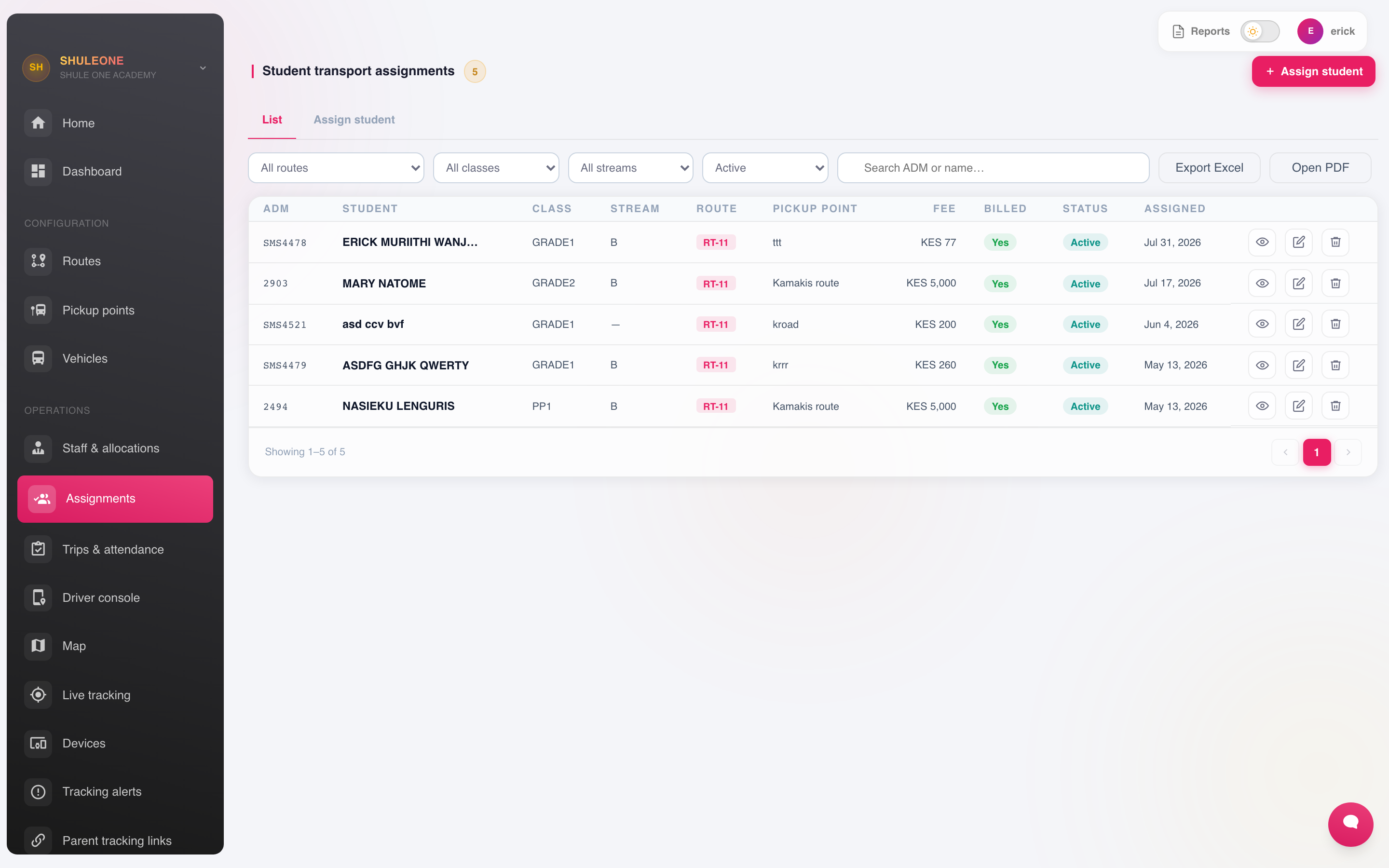
Assignments keep billing separate from the learner’s morning and home runs.
Assigning a student:
- Uses the selected fare/location area to calculate and bill the transport fee.
- Places them on the selected morning service run and pickup stop.
- Places them independently on the selected home service run and drop-off stop; that run may be Afternoon or Evening.
- Shows the default bus for each run; the two runs may use different vehicles and crews.
- Lets their parents track the vehicle they are on.
For a group of learners, transport administrators can use Assign groups instead of editing students one at a time. Select Morning, Afternoon or Evening, choose the service run, then select whole fare routes or individual pickup locations from any route. ShuleOne assigns those active transport students to that direction’s run while preserving every student’s fare area, billing and opposite-direction journey. The preview shows the affected student count, and the change is rejected as one unit if it would exceed the run’s bus capacity. The mobile app provides the same action one route or pickup location at a time.
Keep assignments current. A student left on the wrong run appears on the wrong manifest; one who is not assigned is on the bus but invisible to the system — which matters most on the day something goes wrong.
If one bus serves several fare routes or makes more than one journey in a direction, set up its recurring service runs before assigning students. Give each run an optional area name when that helps staff recognise it.